
Estimated reading time: 5 minutes
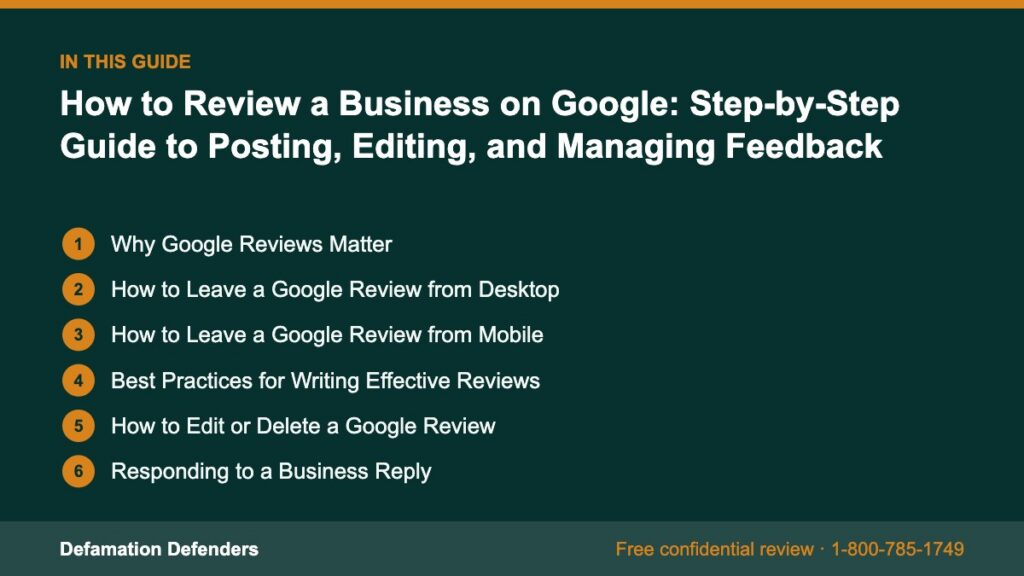
Table Of Content
Why Google Reviews Matter
Google reviews influence consumer trust, search engine rankings, and overall brand perception. They appear directly in search results and Google Maps, making them highly visible.
Need help with this? Our review removal and management service can handle it for you, starting with a free, confidential review and a firm quote before any work begins.
Benefits of Leaving Google Reviews:
- Help others make informed decisions
- Support good businesses in your community
- Hold companies accountable for poor service
- Increase transparency in commerce
“Google reviews are a form of social proof that heavily impact purchasing decisions and visibility in search results.”
How to Leave a Google Review from Desktop
Step-by-Step:
- Open Google.com
- Type the name of the business you want to review
- In the business listing panel on the right, scroll to the Reviews section
- Click Write a Review
- Select your star rating (1–5)
- Write your comment in the text box
- Click Post
You must be signed into a Google account to leave a review.
How to Leave a Google Review from Mobile
On Google Search:
- Open Google Search on your phone
- Type the business name
- Tap the Reviews tab or scroll to it
- Tap Write a Review
- Select stars, write your feedback, and tap Post
On Google Maps:
- Open the Google Maps app
- Search for the business
- Tap the business profile
- Scroll to Reviews and tap Write a Review
- Enter your star rating and feedback
- Tap Post
Best Practices for Writing Effective Reviews
What to Include:
- Specific details about your experience
- Names of helpful staff (if applicable)
- Product or service descriptions
- Timeframe of your visit or purchase
Avoid:
- Using profanity or threats
- Posting confidential information
- Reviewing a business you’ve never interacted with
Example Review:
⭐⭐⭐⭐⭐
“I visited Greenstone Dental last week for a cleaning and was blown away by the friendliness of the staff. Dr. Moore explained everything clearly. The office was spotless, and I was in and out in under an hour. Highly recommend!”
How to Edit or Delete a Google Review
Editing Your Review:
- Go to Google Maps
- Tap your profile icon > Your contributions > Reviews
- Find the review you want to edit
- Click the three-dot menu > Edit review
- Update the rating or comment, then Save
Deleting a Review:
- Repeat steps 1–3 above
- Tap the three-dot menu next to the review
- Select Delete review
Responding to a Business Reply
If a business responds to your review, you’ll receive a notification.
You Can:
- Edit your review to reflect the update
- Thank them for acknowledging your experience
- Report inappropriate replies through Google’s support tools
Can You Leave a Review Anonymously?
Not fully. Google displays:
- Your Google profile name
- Your profile photo (if you’ve uploaded one)
But it does not reveal:
- Your email address
- Personal identifiers like your phone number
You can change your name in your Google Account settings to use a pseudonym.

Reporting Fake or Inappropriate Reviews
If you encounter misleading or offensive content:
To Report a Review:
- Locate the review on the business listing
- Click the flag icon next to the review
- Choose the reason (e.g., spam, hate speech, off-topic)
- Submit your report
Google may take several days to process the request.
Review Guidelines According to Google
Google’s Review Policy prohibits:
- Fake engagement or reviews left by bots
- Conflict of interest (e.g., reviewing your own business)
- Inappropriate language, harassment, or hate speech
- Advertising or promotional content
Violating these rules may result in review removal or account suspension.
What to Do if Your Review Is Removed
Common reasons:
- Violates Google’s review policy
- Contains sensitive information
- Business flagged it as spam (rightfully or not)
Steps:
- Review the Google review guidelines
- Edit your review to remove violations
- Resubmit it manually
If you believe your review was removed unfairly, contact Google Support or consider seeking expert help.
How Google Reviews Affect a Business
- SEO Impact: Reviews influence local search rankings
- Consumer Trust: More (and better) reviews = more customer conversions
- Revenue Impact: Businesses with positive reviews generate higher revenue
This is why honest, helpful reviews make a lasting difference.
“A well-written Google review can influence hundreds of other customers—it’s a powerful voice in today’s online economy.”
How Defamation Defenders Helps Manage Google Reviews
Negative reviews can sometimes be false, exaggerated, or malicious. Defamation Defenders offers proven solutions for:
- Identifying fake reviews
- Reporting and removing defamatory content
- Legal takedown assistance when applicable
- Strategic SEO suppression of harmful results
Our review management and content protection services are trusted by professionals and businesses nationwide.
📩 Get a free consultation and discover how we can protect your brand.
Frequently Asked Questions (FAQ)
No. A Google account is required to submit a review.
Indefinitely—unless the author deletes it or Google removes it for policy violations.
Only one review per account per business is allowed. You can, however, edit it anytime.
Yes. Google considers review quantity, quality, and recency when ranking local businesses.
You are under no obligation to do so. If they pressure you or offer incentives, report the behavior.
Leaving a review on Google isn’t just about sharing an opinion—it’s about empowering others, holding businesses accountable, and contributing to a transparent online marketplace.
Whether you’re promoting great service or flagging an issue, your experience matters.
And if your reputation has been unfairly damaged by false reviews, Defamation Defenders is here to help.
📞 Speak with a review defense expert today and take control of your online presence.
MLA Citations:
- “Write Reviews and Add Ratings of Places.” Google Maps Help, https://support.google.com/maps/answer/6230175
- “Maps User Contributed Content Policy.” Google Support, https://support.google.com/contributionpolicy/answer/7400114
- “Review Removal and Flagging.” Google Business Profile Help, https://support.google.com/business/answer/4596773
- “Manage Your Reviews on Google.” Google Help, https://support.google.com/local-guides/answer/7402071
Related Contents:
