
For many companies, a Google Business Profile is their single most important online listing. It appears in local search results, Google Maps, and knowledge panels, often influencing a potential customer’s perception before they’ve even clicked your website.
Need help with this? Our Google review removal service can handle it for you, starting with a free, confidential review and a firm quote before any work begins.
Yet, there are scenarios where deleting your profile is not only beneficial—it’s necessary. This comprehensive guide will explain how to delete a Google Business Profile safely, when you should consider it, and how this decision ties into why reputation is important in a business.
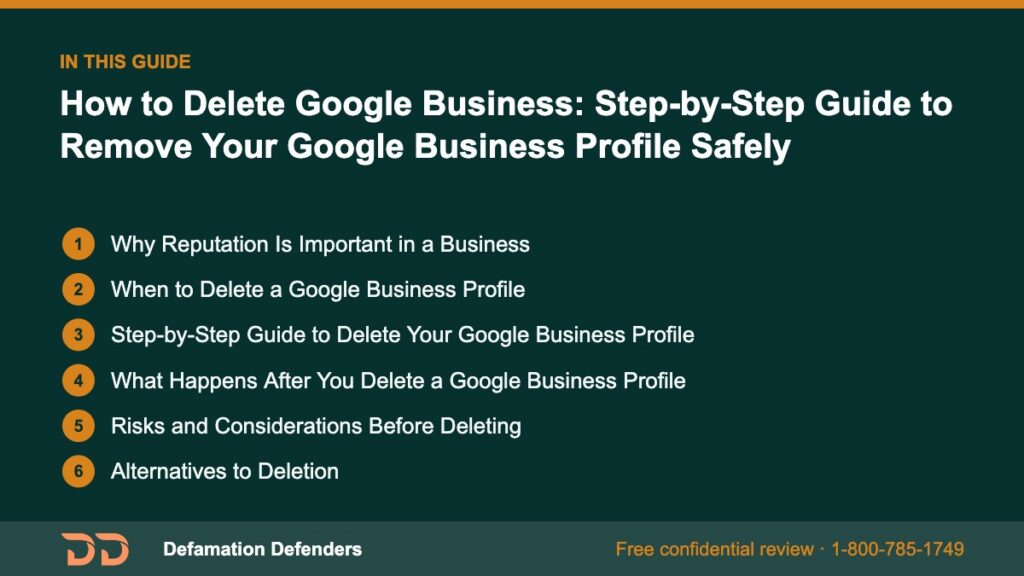
Table Of Content
Why Reputation Is Important in a Business
Reputation is the foundation of business growth. It determines whether customers trust you, whether partners collaborate with you, and whether investors see you as a viable venture.
Reputation as a Growth Engine
Every click, search, and review contributes to an ongoing public perception. If your Google Business Profile contains negative reviews, outdated details, or misleading images, it can directly cost you customers.
Key factors influenced by reputation:
- Customer acquisition rates – Positive sentiment drives more leads.
- Revenue stability – Businesses with strong reputations weather crises better.
- Talent recruitment – Top talent prefers reputable employers.
A Harvard Business Review study found that even small changes in public sentiment can influence revenue by measurable margins, especially in competitive local markets.
First Impressions in the Google Era
Google dominates local search—over 90% of local searches happen on Google according to Statista. That means your Google Business Profile is often the first and most impactful representation of your brand. If it’s inaccurate or tarnished, trust erodes before you ever make contact.
Want this content gone? Get a free, confidential quote.
Send us the links. Most removals are done in a few days to a few weeks, with a full refund if we can't complete the agreed removal.
When to Delete a Google Business Profile
Deleting your Google Business Profile is a strategic move, not an impulsive reaction. Common scenarios include:
- Permanent Closure – Avoid confusion by removing listings for closed locations.
- Brand Mergers – Consolidate multiple listings to strengthen SEO for a single brand.
- Irreversible Reputation Damage – When false reviews, harassment, or competitor sabotage overwhelms your listing.
- Relocation Outside Service Area – Your old profile will mislead customers in your former region.
- Rebranding with New Identity – Launching fresh without legacy issues attached.
Pro Tip: In some cases, reputation management services—such as those from Defamation Defenders—can rehabilitate your profile without deletion, preserving your SEO value.
Step-by-Step Guide to Delete Your Google Business Profile
The deletion process involves more than just a few clicks—it requires preparation to prevent data loss and SEO setbacks.
Step 1 – Backup Your Profile Data
Go to your Google Business Profile dashboard and use the Download Your Data tool. Save:
- Reviews (export to CSV or PDF)
- Photos and videos
- Performance insights
- Business description and category
This archive will help you in case of legal disputes or future marketing reference.
Step 2 – Access Your Google Business Profile Manager
- Sign in at Google Business Profile Manager.
- Select the profile you want to delete.
Step 3 – Navigate to Profile Settings
Click the three-dot menu next to your business name → select Business Profile settings.
Step 4 – Remove the Listing
Click Remove Business Profile. Google will prompt for:
- Confirmation you are the owner
- A reason for removal
- Optional: Indication of permanent closure
Step 5 – Verify Removal
After deletion, search for your business on Google. It may take days to weeks for the profile to disappear from all search and map results due to caching.
What Happens After You Delete a Google Business Profile
Deleting your profile has immediate and long-term consequences.
Immediate:
- Profile disappears from Maps
- Reviews are no longer public
- Your business stops appearing in local packs
Long-Term:
- SEO authority tied to the profile may vanish
- Citations from other directories may still exist
- Competitors may claim your old listing name
Risks and Considerations Before Deleting
Local Search Ranking Loss
Your profile contributes to your local SEO weight. Removing it can mean disappearing from the “map pack.”
Potential Customer Confusion
Without an official listing, customers may assume you’ve shut down completely.
Missed Recovery Opportunities
Sometimes a listing can be repaired through:
- Flagging false reviews
- Updating incorrect info
- Adding fresh photos and posts
Alternatives to Deletion
If your primary concern is reputation, consider:
- Temporarily Closing the Profile
- Hiding Your Address for privacy
- Merging Multiple Listings
- Using Review Management Strategies

H2: Protecting Reputation After Profile Deletion
Claim Other Listings
Secure and update:
- Yelp
- Bing Places
- Industry-specific directories
Monitor Mentions
Set up Google Alerts for your business name to track conversations and reviews.
Publish Positive Content
Counteract lost visibility by releasing:
- Blog posts
- Press releases
- Community news features
Case Study – When Deletion Saved a Brand
A small café in Chicago suffered a targeted harassment campaign through fake Google reviews. Despite reporting them, the spam persisted. After deleting the profile and focusing on alternative marketing channels, the café regained customer trust and later launched a new profile with verified review protection measures in place.
Expert Tips for Business Owners
- Audit all online listings before deletion to maintain consistency.
- Redirect customers to your website or other verified platforms.
- Keep records of negative content for potential legal follow-up.
FAQ’s
Yes, within a short grace period if you act fast.
Yes, they’re permanently removed from public view.
Not always—professional reputation repair may be more beneficial.
No, but you’ll lose local ranking benefits.
Yes—through legal takedowns and platform policy enforcement.
Typically 2–4 weeks.
Yes, which is why monitoring is important.
Yes, by setting it to temporarily closed.
It may affect location extensions.
No, ownership verification is required.
No, mark them as temporarily closed instead.
Can I recover a deleted profile?
Yes, within a short grace period if you act fa
Only if they violate Google policy.
How Defamation Defenders Can Help
Whether you’re considering deletion or want to repair a damaged profile, Defamation Defenders offers:
- Google review removal
- Profile optimization
- Online reputation monitoring
- Legal consultation for content removal
📞 Contact Defamation Defenders to secure your brand’s online reputation today.
Want this content gone? Get a free, confidential quote.
Send us the links. We'll reply with a firm quote and timeline. Most removals are done in a few days to a few weeks, with a full refund if we can't complete the agreed removal.
Pay-after-removal options · 4,000+ clients served · 4.9/5 on Google
Prefer to talk? Call 1-800-785-1749
