
CourtRecords.org compiles court, criminal and bankruptcy records with personal details and makes them searchable by name. It offers a free opt-out. Here is how to use it, and what it can and cannot remove.
Quick answer: Go to the CourtRecords.org opt-out page (members.courtrecords.org/terms?tab=optout), search your name, city and state, select your record, click Remove Data, enter an email, complete the CAPTCHA and submit. Then confirm through the email link.
Table Of Content
What is CourtRecords.org?
CourtRecords.org is a people-search and public records site that pulls together court records, criminal histories and bankruptcy records with contact information. Visitors can search by name, address, email or phone number.
Want this content gone? Get a free, confidential quote.
Get court case records removed from Google and case-lookup sites like UniCourt and CourtListener. Most removals are done in a few days to a few weeks, with a full refund if we can't complete the agreed removal and free re-removal if the record comes back.
What information does CourtRecords.org show?
A CourtRecords.org record can include:
- Court case and criminal history entries
- Bankruptcy records
- Your name, age and aliases
- Addresses, phone numbers and email addresses
Why your CourtRecords.org listing is a problem
- Court entries follow your name. Resolved or dismissed cases can still appear next to you.
- It looks official. The name makes the site look like a court database, so people trust what it shows.
- It combines records with contact data. That helps harassers and scammers.
- It ranks. Record pages are indexed for name searches.
How to remove yourself from CourtRecords.org: step by step
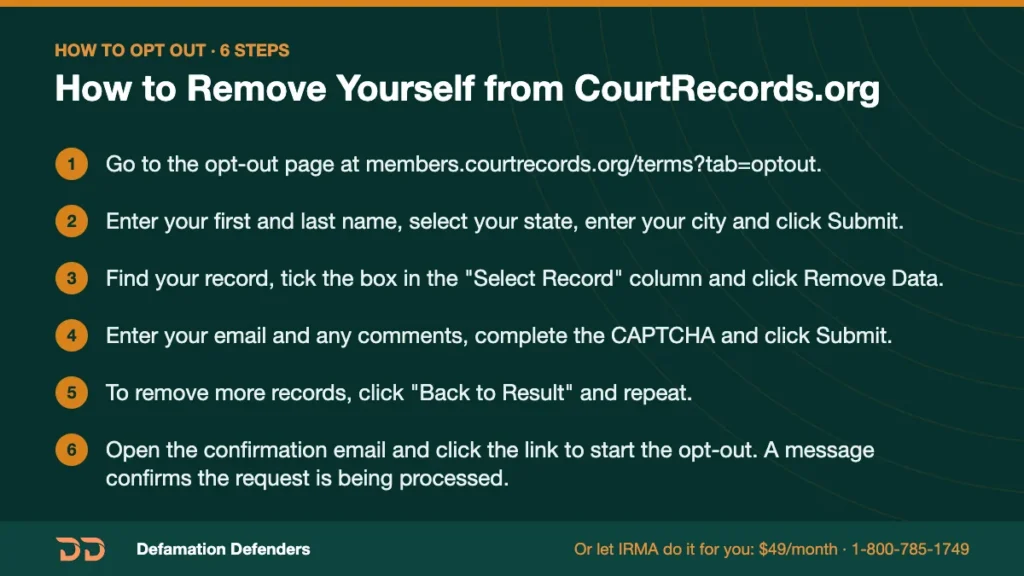
- Go to the opt-out page at members.courtrecords.org/terms?tab=optout.
- Enter your first and last name, select your state, enter your city and click Submit.
- Find your record, tick the box in the “Select Record” column and click Remove Data.
- Enter your email and any comments, complete the CAPTCHA and click Submit.
- To remove more records, click “Back to Result” and repeat.
- Open the confirmation email and click the link to start the opt-out. A message confirms the request is being processed.
How long does CourtRecords.org removal take?
CourtRecords.org does not publish a set timeframe. Search for your record again after a few days and resubmit if it is still showing.
Will your CourtRecords.org listing come back?
It can. Record sites refresh from court and commercial data, so a new filing can create a new entry. Check every few months.
How to remove CourtRecords.org results from Google
Removing your listing from CourtRecords.org does not instantly change Google. The old page can stay in search results until Google recrawls it. Once the listing is gone, search your name, find the old result, and use Google’s Refresh Outdated Content tool to ask for an update. Google’s Results about you tool can also hide results that show your phone number, home address or email, but it hides results in Google only; it does not delete the page from the website or from Bing.
Related sites to check
Court and record sites to check next: CourtRegistry, CriminalPages, InfoTracer and our court records removal service.
Remove yourself from every data broker at once

Opting out of CourtRecords.org is one form on one site. Most people are listed on dozens of similar people-search sites, and those sites re-list people when they buy fresh data. Defamation Defenders’ IRMA personal information removal and monitoring service finds your listings across 70+ data brokers and people-search sites, submits every opt-out for you, requests Google and Bing cleanup, and keeps monitoring. If a covered site re-lists you while you’re subscribed, we remove it again at no extra cost. It’s $49/month, cancel anytime, with a money-back guarantee.
Is a court case showing up on several sites? Our court records removal team gives a firm per-link quote before any work starts. Get a free, confidential consultation or call 1-800-785-1749.
CourtRecords.org removal FAQs
Is CourtRecords.org a court website?
No. It is a private records website. Official records are kept by the courts.
Does opting out remove my case from the court?
No. It removes the listing from CourtRecords.org only. Sealing or expungement is a legal process through the court.
Is the opt-out free?
Yes.
Can I remove more than one record?
Yes. After each request, click “Back to Result” and repeat for each record.
Defamation Defenders is not affiliated with CourtRecords.org or its owners. Opt-out steps are based on the process the site displays as of October 2026 and may change.
Want this content gone? Get a free, confidential quote.
Get court case records removed from Google and case-lookup sites like UniCourt and CourtListener. Most removals are done in a few days to a few weeks, with a full refund if we can't complete the agreed removal and free re-removal if the record comes back.
Pay-after-removal options · 4,000+ clients served · 4.9/5 on Google
Prefer to talk? Call 1-800-785-1749
