
Estimated reading time: 6 minutes
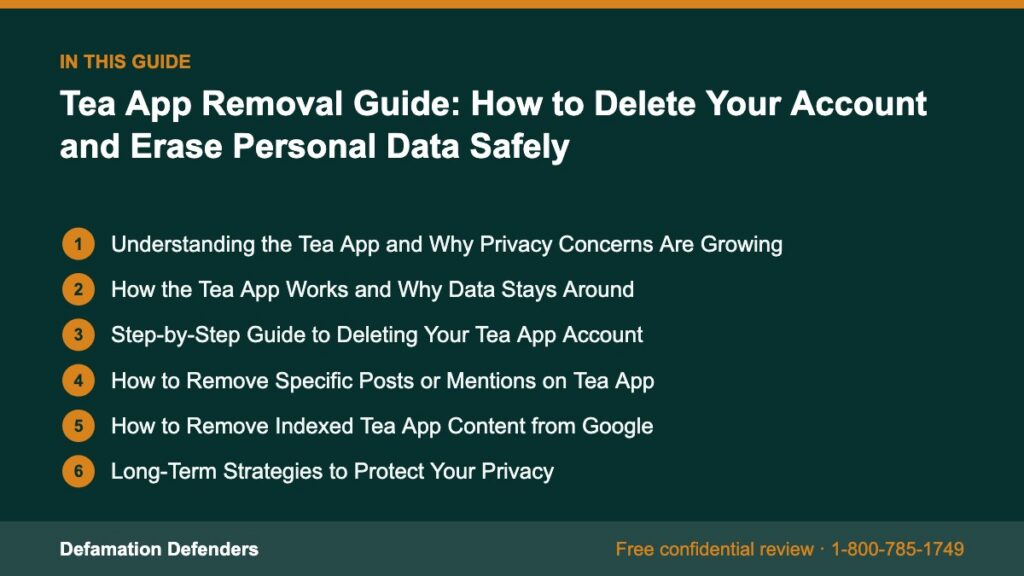
Table Of Content
Understanding the Tea App and Why Privacy Concerns Are Growing
The Tea App, designed as a gossip-sharing and social interaction platform, encourages anonymous posting and user-generated content that often revolves around rumors, opinions, or hearsay. While this design invites engagement, it also leads to privacy issues, data misuse, and potential defamation.
Need help with this? Our personal information removal service can handle it for you, starting with a free, confidential review and a firm quote before any work begins.
If your name, likeness, or private information has been exposed or you simply wish to erase your presence for privacy reasons, this guide provides a full roadmap for account deletion and post-removal.
How the Tea App Works and Why Data Stays Around
Before diving into the removal process, it’s essential to understand how Tea stores and manages user data:
- Anonymous submissions are stored but can be linked to device metadata.
- User profiles may store phone numbers, usernames, or associated IP addresses.
- Public threads remain visible even after users leave, unless removed by moderators.
- Moderation is largely user-driven, which can slow down content takedown or allow harmful content to remain live.
This setup means removing your footprint isn’t as simple as logging out.
Step-by-Step Guide to Deleting Your Tea App Account
Step 1: Locate Your Account or Username
- Open the Tea App on your device
- Go to your profile or settings
- Take note of your username, email, or associated phone number
Step 2: Review and Back Up Any Needed Data
If you posted anything useful or relevant that you’d like to retain:
- Screenshot your activity
- Copy any unique thread links
- Note timestamps or comment IDs if you’re planning a report
Step 3: Delete the Account from the App
Some users report success with in-app deletion:
- Go to Settings > Privacy
- Tap Delete My Account
- Follow verification steps
If this option is missing or nonfunctional:
Step 4: Submit a Direct Removal Request
Send a removal email to the Tea App team:
Sample Email Template:
To: support@teaapp.com
Subject: Account Deletion and Data Removal Request
Hello,
I am requesting that my Tea App account associated with [insert username or phone number] be permanently deleted. This includes:
– All account data
– Post and comment history
– Any metadata linked to my usage
Please confirm the deletion in writing.
Sincerely,
[Your Full Name]
Step 5: Remove Tea App From Your Device
To ensure no background data continues being sent:
- Delete the app from iOS or Android
- Clear cache and cookies
- Reset your advertising ID (on mobile)
How to Remove Specific Posts or Mentions on Tea App
Identifying Harmful Content
Search the app using:
- Your name or nickname
- Your business or employer
- Your phone number or alias
Document any:
- Defamation
- Personal attacks
- Invasion of privacy (e.g., doxxing, non-consensual images)
- False information that may damage your reputation
Reporting Posts to Moderators
Use in-app tools to flag content:
- Tap the three-dot icon next to the post
- Select Report Post
- Choose a reason such as: “Defamation,” “Harassment,” or “Private Info”
Strengthen Reports with Screenshots and Documentation
If you’re submitting multiple complaints or preparing a legal notice, compile:
- Screenshots of posts
- Usernames or aliases involved
- Timestamps and post URLs
- Evidence showing the claims are false or harmful
Escalate With a DMCA or Legal Notice
If copyrighted material or identifiable media is used without consent:
- File a DMCA takedown request
- Report to app support via email
- Consult an attorney if serious legal rights are violated
How to Remove Indexed Tea App Content from Google
If your Tea-related posts appear in Google search results:
- Visit Google’s Remove Outdated Content Tool
- Submit the Tea App post URL
- Request removal under “Content No Longer Exists” if it was deleted
For content that’s live but violates policies:
- Use the Google Personal Information Removal Tool
- Provide screenshots and reasoning (e.g., doxxing, harassment, or PII)
- Submit a legal request if needed under Google’s defamation or data protection policies

Long-Term Strategies to Protect Your Privacy
Tea App content can spread across other platforms. These steps build a privacy shield:
✔️ Opt Out of Data Brokers
Your name or phone number might be found on:
- Spokeo
- PeopleFinder
- Intelius
- MyLife
- Radaris
Use services like optoutprescreen.com or visit individual sites for manual removal.
✔️ Monitor Your Name with Alerts
Set up Google Alerts:
Track mentions of your name, phone, or business name.
✔️ Publish Positive Content to Push Down Old Results
- Start a blog or personal portfolio
- Join and optimize social media profiles (LinkedIn, Twitter, Instagram)
- Use your real name consistently to boost credibility in search results
- Publish content on Medium, YouTube, or guest post on reputable sites
✔️ Use Defamation Defenders for Deep Cleanup
When posts won’t come down or are widely shared, our team can:
- Suppress URLs with SEO
- File legal removals
- Work with hosting companies and platforms
- Clean up your online presence through comprehensive ORM
🔒 Get a privacy audit from Defamation Defenders
Additional Legal Options for Persistent Issues
Defamation Lawsuits
If posts on Tea App are demonstrably false and harmful:
- Document the content thoroughly
- Hire an attorney experienced in libel/slander law
- Issue a cease and desist letter before filing
Privacy Violations
If non-consensual images or private data are shared:
- Contact a privacy rights attorney
- Report to law enforcement if threats or harassment are involved
- Reference state-specific data privacy laws, such as the CCPA (California) or GDPR (if applicable)
FAQ: Tea App Account and Content Removal
Yes, but metadata like device IDs or IPs may still be stored and linked to activity.
Yes. If your name or private info appears without consent, you can report it for takedown or file legal claims.
Most requests are acknowledged within 7–14 days, but some may take longer without follow-up.
No. You must explicitly request account deletion or do so via settings if the option exists.
Yes. We assist individuals and businesses with app removals, online defamation, and content suppression.
Report the impersonation immediately. Provide evidence of identity theft, and escalate through support or legal action.
Yes. Depending on your jurisdiction, you may be protected under anti-doxxing laws, data privacy regulations, or defamation statutes.
How Defamation Defenders Can Help
We offer specialized solutions for:
- Removing personal content from high-traffic platforms
- Dealing with anonymous gossip or rumor-based apps
- Clearing search engine results tied to apps like Tea
- Privacy-first SEO and ORM campaigns
- Legal support with takedown notices and formal complaints
Whether you’re a professional, public figure, or private citizen, we’re here to restore control over your online identity.
📞 Schedule your free case evaluation
MLA Citations:
- “Remove Outdated Content.” Google Search Central, https://search.google.com/search-console/remove-outdated-content
- “Request to Remove Personal Info.” Google Support, https://support.google.com/websearch/troubleshooter/3111061
- “How to Delete Your Online Accounts.” Consumer Reports, https://www.consumerreports.org
- “Understanding DMCA Takedown Notices.” Harvard Cyberlaw Clinic, https://clinic.cyber.harvard.edu
- “Online Defamation Law.” Cornell Law School Legal Information Institute, https://www.law.cornell.edu/wex/defamation
- “California Consumer Privacy Act (CCPA).” State of California Department of Justice, https://oag.ca.gov/privacy/ccpa
- “Your Online Reputation.” Federal Trade Commission, https://www.consumer.ftc.gov
Related Contents:
