
Table Of Content
Why Yahoo Still Matters for Privacy in 2026
Despite Yahoo’s reduced popularity, its legacy data footprint remains significant. Old email accounts, finance profiles, Yahoo Answers remnants, and Flickr archives may still display personal information that puts your privacy at risk.
Need help with this? Our search result suppression service can handle it for you, starting with a free, confidential review and a firm quote before any work begins.
Whether it’s search results, public-facing content, or sensitive account data, removing information from Yahoo requires a careful, strategic approach.
Want this content gone? Get a free, confidential quote.
Send us the links. Most removals are done in a few days to a few weeks, with a full refund if we can't complete the agreed removal.
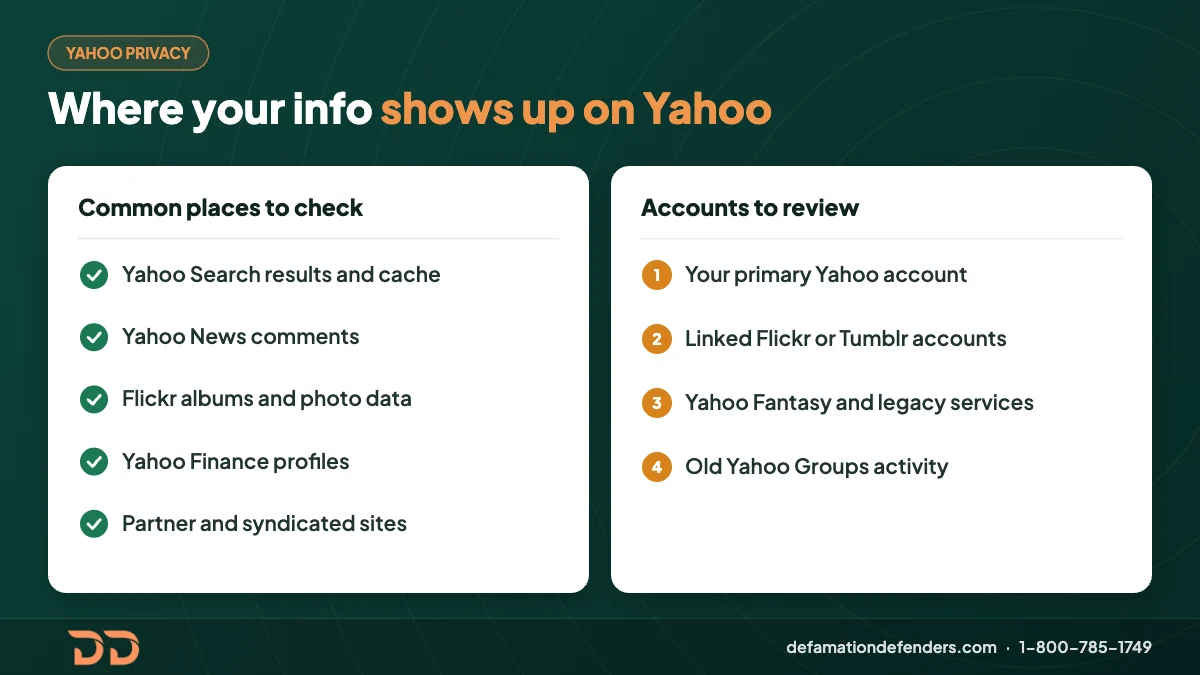
Common Places Your Information May Appear on Yahoo
- Yahoo Search Index (cached versions, search engine visibility)
- Yahoo Mail Archives
- Yahoo News Comments and Community Pages
- Flickr Albums (public image metadata)
- Yahoo Finance Profiles
- Verizon Media’s Partner Ecosystem
- Third-Party Sites Syndicated via Yahoo
Yahoo data often ends up indexed on external platforms like Bing, AOL, or syndicated partner sites.
Step-by-Step Process to Remove Information from Yahoo
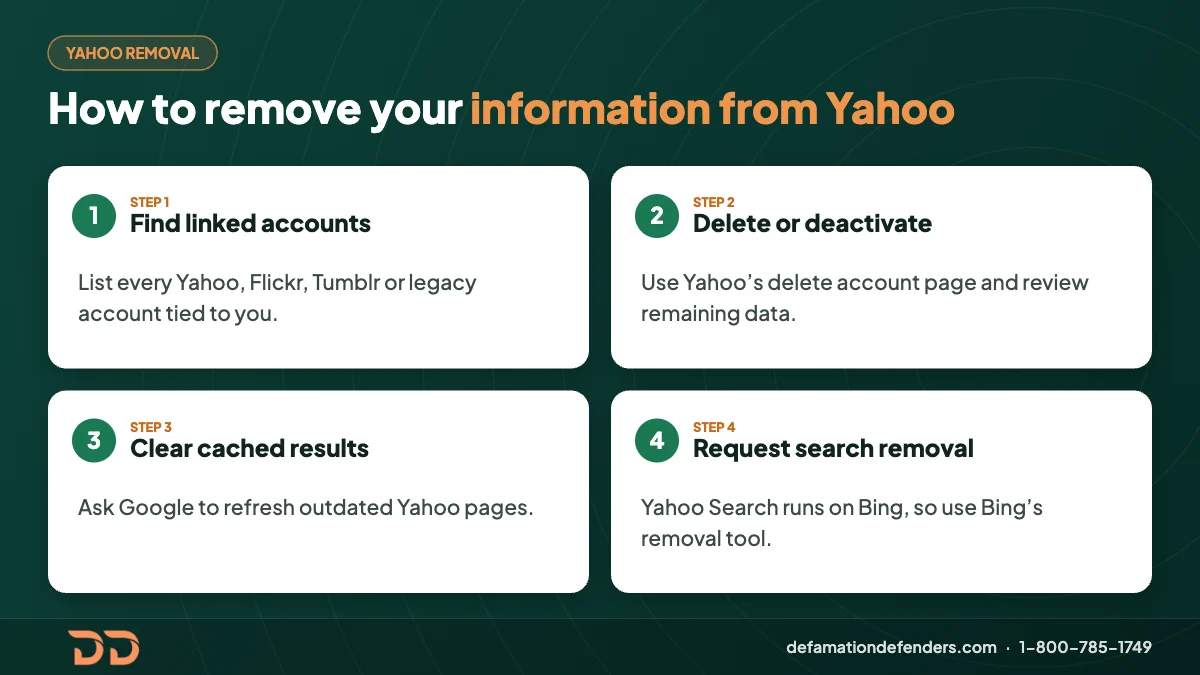
Step 1: Identify All Yahoo-Linked Accounts
Start by reviewing the following:
- Primary Yahoo account(s)
- Associated Flickr, Tumblr, or Yahoo Fantasy accounts
- Any legacy Yahoo services tied to your email (e.g., Yahoo Groups)
Use Yahoo Account Info Page to access connected services.
Step 2: Delete or Deactivate the Yahoo Account
- Visit Yahoo Delete Account Page
- Log in with your credentials
- Review any remaining subscriptions or data
- Confirm permanent deletion
Important: Deleting your Yahoo account will also erase associated services like Mail and Finance. Download backups beforehand.
Step 3: Remove Cached Yahoo Results from Google
Once the account or profile has been removed:
- Go to the Google Outdated Content Removal Tool
- Submit the outdated URL
- Wait for Google to process and de-index the link
This helps eliminate old Yahoo pages from appearing in search results.
Step 4: Request Removal from Yahoo Search
Yahoo Search is powered by Bing. Visit:
- Bing Content Removal Tool
- Submit the URLs you want removed
Yahoo-specific deletion options are limited, so working through Bing is essential.
How to Remove Specific Types of Yahoo Content
Removing Personal Photos from Flickr
- Sign into Flickr via Yahoo
- Navigate to each album/photo
- Click the ellipsis (…) and choose “Delete”
- Make sure albums are also removed from public view
Tip: Remove EXIF data or geo-tagged content from images before uploading.
Deleting Yahoo Search Results
If content is appearing via Yahoo’s search portal:
- Verify if it’s hosted on Yahoo
- If not, locate the original site and request removal from that source
- Then follow up with Google and Bing
Cleaning Up Yahoo News Comments
Comments on Yahoo News may be linked to your profile. To remove:
- Go to your comment history (if accessible)
- Manually delete individual comments
- If unavailable, contact Yahoo’s support with a privacy request
Data Retention Policies and How They Affect You
Yahoo retains user data for months or years, depending on:
- Regulatory requirements
- Account activity
- Advertising preferences
To accelerate removal:
- Revoke consent under Yahoo’s privacy settings: https://www.verizonmedia.com/policies/us/en/verizonmedia/privacy/dashboard/index.html
- Disable ad tracking and partner sharing
Opt-Out of Yahoo Partner Sites
Yahoo shares user activity with dozens of third-party networks. To protect yourself:
- Visit Network Advertising Initiative Opt-Out
- Opt out of Yahoo (Verizon Media) and associated advertisers
- Clear cookies and browser history regularly
Protecting Privacy Beyond Yahoo
To fully remove your presence:
Remove from People Search Engines:
Set Up Google Alerts:
- Google Alerts for your name
- Monitor future Yahoo or partner mentions
Consider Suppression Campaigns
If deletion isn’t possible:
- Publish positive blog content
- Set up professional profiles (LinkedIn, Medium)
- Optimize personal websites to outrank negative Yahoo mentions
Legal Options if Yahoo Hosts Harmful Content
If Yahoo or affiliated platforms host harmful or defamatory content:
You May Have Legal Grounds If:
- The content is false and damaging
- The publication violates a court order or expungement
- Personal health or financial records are disclosed without consent
Consult with a qualified attorney to explore your options, especially under:
- CCPA (California Consumer Privacy Act)
- GDPR (General Data Protection Regulation) if you’re an EU resident
Why Work with Defamation Defenders
Defamation Defenders specializes in:

- Removing outdated or harmful Yahoo content
- Managing suppression strategies
- Navigating complex removal procedures
- Protecting your online privacy long-term
🛡️ Get a Free Reputation Consultation
Frequently Asked Questions (FAQ)
Yes, use Yahoo’s termination page to delete your entire account. Be sure to back up important emails first.
Yahoo schedules deletions after 30 days, though data may persist in backups for longer.
Yes, though powered by Bing. You’ll need to request removal via Bing’s tools.
You’ll need to contact the third-party site or use Bing and Google’s content removal tools.
Yes. We offer tailored services to de-index and suppress harmful Yahoo-related search results.
Yes, Flickr data is tied to your Yahoo ID and will be deleted during account closure.
Update or delete your profile via Yahoo Finance settings or contact support directly.
Technically no, but companies like Yahoo may still honor the request. It’s worth submitting a formal data removal inquiry regardless.
Search for your name in quotes on Yahoo Search. Combine your name with common Yahoo services (e.g., “John Smith” site:flickr.com).
Google Alerts and paid monitoring tools can track when your name or info resurfaces.
MLA Citations
- Yahoo. “Close Your Yahoo Account.” https://help.yahoo.com/kb/SLN2044.html
- Bing Webmaster Tools. “Content Removal Tool.” https://www.bing.com/webmasters/tools/content-removal
- Google. “Remove Outdated Content.” https://search.google.com/search-console/remove-outdated-content
- Network Advertising Initiative. “Opt-Out Tools.” https://optout.networkadvertising.org/
- Verizon Media. “Privacy Dashboard.” https://www.verizonmedia.com/policies/us/en/verizonmedia/privacy/dashboard/index.html
- Spokeo. “Opt Out.” https://www.spokeo.com/optout
- BeenVerified. “Opt Out Request.” https://www.beenverified.com/app/optout/search
- Whitepages. “Suppression Request.” https://www.whitepages.com/suppression_requests
Related Contents:
Want this content gone? Get a free, confidential quote.
Send us the links. We'll reply with a firm quote and timeline. Most removals are done in a few days to a few weeks, with a full refund if we can't complete the agreed removal.
Pay-after-removal options · 4,000+ clients served · 4.9/5 on Google
Prefer to talk? Call 1-800-785-1749
