
Estimated reading time: 5 minutes
Online reviews are a powerful force. They influence local search rankings, shape first impressions, and determine whether a potential customer decides to do business with you. But when those reviews are malicious, inaccurate, or just plain unfair, many business owners ask the same thing:
Need help with this? Our review removal and management service can handle it for you, starting with a free, confidential review and a firm quote before any work begins.
Can I turn off reviews on Google?
Here’s the answer: No, Google does not allow businesses to disable reviews on Google Business Profiles. However, that doesn’t mean you’re powerless. This guide explains why reviews can’t be turned off, what your options are, and how to manage and protect your online reputation using proven strategies.
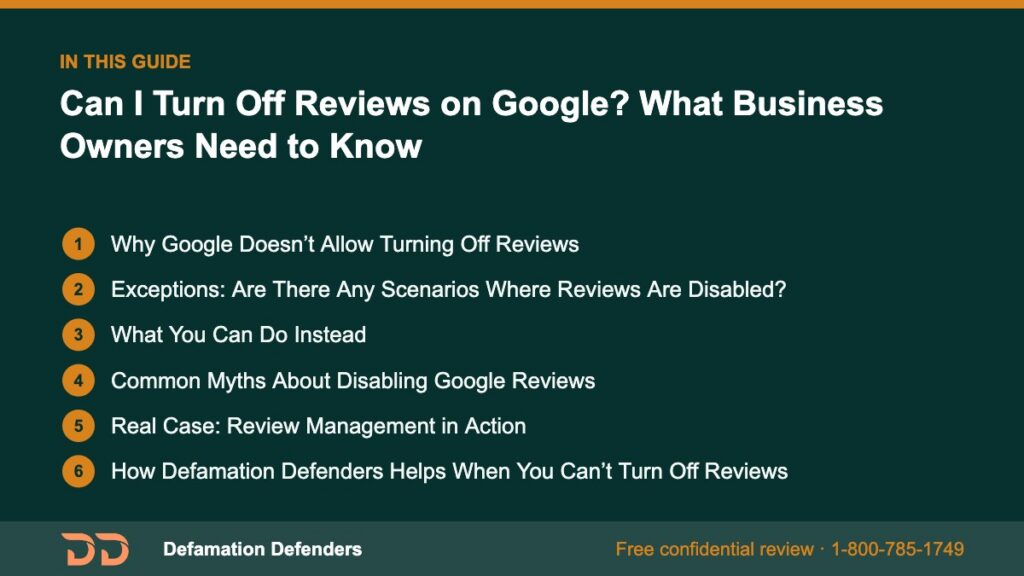
Table Of Content
Why Google Doesn’t Allow Turning Off Reviews
Transparency First
Google’s core mission is to provide users with authentic and helpful content. Turning off reviews would undermine that transparency and trust.
Public Interest
Reviews serve the broader public. Whether positive or negative, they help others evaluate real experiences before making purchasing decisions.
Search Integrity
Google’s ranking algorithm considers review signals (quantity, recency, sentiment) as part of local SEO. Removing reviews would harm the quality of local search results.
Encouraging Accountability
Open review systems push businesses toward excellence. They foster feedback-driven growth and client responsiveness, which benefits both the service provider and consumer.
Want this content gone? Get a free, confidential quote.
Get unfair or fake reviews removed. Free assessment, no upfront fee on pay-after-removal cases, and most removals resolve within a few days to a few weeks.
Exceptions: Are There Any Scenarios Where Reviews Are Disabled?
Yes, but they’re extremely rare:
- Newly created listings: Google sometimes delays activating reviews on brand-new listings.
- Listings with suspicious activity: If a business is under investigation for review fraud, Google may temporarily pause reviews.
- Certain categories (limited): Government entities, police departments, and schools sometimes have restricted review functionality.
Note: These are not opt-in features. They are managed automatically by Google.
Google may also suspend the ability to leave reviews if it detects coordinated spam attacks or sudden surges in review volume.
What You Can Do Instead
While you can’t turn off reviews, you have several smart options to manage, mitigate, and improve your review landscape:
1. Flag Fake or Inappropriate Reviews
Use Google’s built-in reporting tools:
- Navigate to the review on your Business Profile
- Click the three vertical dots
- Select “Report review”
Use these grounds:
- Off-topic
- Spam
- Conflict of interest
- Profanity or threats
- False representation
Google typically responds in 3–5 business days. For best results, document your reasoning and flag through the Google Business Dashboard.
2. Respond to Negative Reviews Effectively
Best practices include:
- Stay calm and professional
- Acknowledge the experience
- Offer to make things right
- Avoid debates in public
This shows potential clients that you care—even if the review is unfair.
What Not to Do:
- Don’t attack the reviewer
- Don’t accuse someone of lying without evidence
- Don’t use automated or copied responses
3. Collect Positive Reviews Proactively
Happy customers often stay silent unless prompted. Try these tactics:
- Ask for reviews via follow-up email or SMS
- Display QR code cards at checkout
- Include a review link in your receipts
- Launch feedback campaigns quarterly
More authentic reviews help dilute the impact of a few negatives.
4. Use Review Management Software
Helpful tools include:
- ReviewTrackers
- BirdEye
- Yext
- Trustpilot for integration
These can automate requests, monitor new reviews, and notify you of red flags.
Benefits of Automation:
- Respond faster to negative feedback
- Identify patterns across multiple locations
- Track sentiment over time
5. Leverage SEO to Suppress Bad Listings
When review platforms with negative content appear high in search results, push them down using search engine optimization:
- Create content-rich blogs and location pages
- Use press releases and media outreach
- Optimize your official site for branded keywords
- Get listed on high-authority directories
You’re not deleting anything—just outranking it.
6. Establish a Review Policy Internally
Educate your team on:
- How to handle angry customers in real-time
- When and how to ask for a review
- Escalation protocols for review disputes
This helps avoid future problems before they escalate to public platforms.
Common Myths About Disabling Google Reviews
“I Can Ask Google to Turn Off Reviews.”
You can’t request review deactivation for standard business categories.
“I’ll Just Delete My Business Listing.”
Removing a listing doesn’t erase the reviews. In fact, Google may keep reviews live even if the listing is unclaimed.
“I’ll Rebrand to Start Fresh.”
Review histories often follow you. If your contact details, address, or website are similar, Google may re-link the old reviews.
“I’ll Post Fake Positive Reviews to Fix It.”
This violates Google’s Contributor Guidelines and could lead to suspension or account banning.

Real Case: Review Management in Action
Business: Local HVAC Company in Denver
Issue: 1-star reviews posted by competitors
Actions Taken:
- Flagged and escalated to Google support
- Responded publicly and calmly
- Collected 43 new 5-star reviews through SMS campaigns
- Used SEO to bury negative directories
Result:
- Rating improved from 2.9 to 4.6
- Doubled call volume in 60 days
- Reduced customer churn from 19% to 6%
How Defamation Defenders Helps When You Can’t Turn Off Reviews
Our team specializes in:
- Investigating review legitimacy
- Submitting formal removal requests
- Running sentiment repair campaigns
- Creating SEO suppression strategies
- Long-term review monitoring and alerts
We know Google’s policies inside and out—and we’ll use every compliant tactic to protect your name.
👉 Contact Defamation Defenders for a custom review protection strategy today.
FAQs: Can I Turn Off Reviews on Google?
No. There’s no setting to enable or disable reviews.
Flag them as “Off-topic” or “Spam” and document your proof.
No. Reviews remain attached to the business listing, not the account holder.
Yes. If defamatory or damaging, consult a lawyer to explore options like cease-and-desist letters or lawsuits.
Yes. Reputation experts like Defamation Defenders can assist with takedown efforts and search suppression.
Not directly, but through SEO and branded content creation, negative reviews can be pushed off Page 1.
Yelp
Facebook
BBB
Trustpilot
Glassdoor
SiteJabber
Bing Places
Yellow Pages
Related Links”
Want this content gone? Get a free, confidential quote.
Get unfair or fake reviews removed. Free assessment, no upfront fee on pay-after-removal cases, and most removals resolve within a few days to a few weeks.
Pay-after-removal options · 4,000+ clients served · 4.9/5 on Google
Prefer to talk? Call 1-800-785-1749
