
Estimated reading time: 7 minutes
Protecting your privacy online is no longer optional—it is a necessity. Every search query, social profile, online purchase, and mobile app creates data that can be tracked, harvested, sold, or compromised. Cybercriminals, advertisers, data brokers, and automated scrapers continuously capture personal information, often without your knowledge or consent.
Need help with this? Our personal information removal service can handle it for you, starting with a free, confidential review and a firm quote before any work begins.
This comprehensive guide explores the most effective strategies for internet privacy protection, helping you secure your identity, safeguard sensitive data, and defend your online reputation. Whether you’re an individual, business owner, public figure, or professional navigating high-visibility roles, these best practices offer a proactive approach to reducing exposure and maintaining control over your digital footprint.
Understanding Why Internet Privacy Protection Matters
Your online presence is interconnected across social networks, apps, data brokers, public databases, and search engines. A single exposure—whether from a breached website, leaked data broker listing, or compromised account—can reveal:
- Your full name
- Home address
- Phone numbers
- Employment history
- Family details
- Legal records
- Social media accounts
- Personal browsing habits
This information can be exploited for identity theft, fraud, stalking, impersonation, harassment, or reputational damage. Protecting your privacy supports:
- Personal safety
- Financial preservation
- Online reputation stability
- Stronger digital boundaries
Because online content persists indefinitely, prevention and responsive protection are both required.
Key Principles of Internet Privacy Protection
There are foundational rules that support long-term privacy and identity protection.
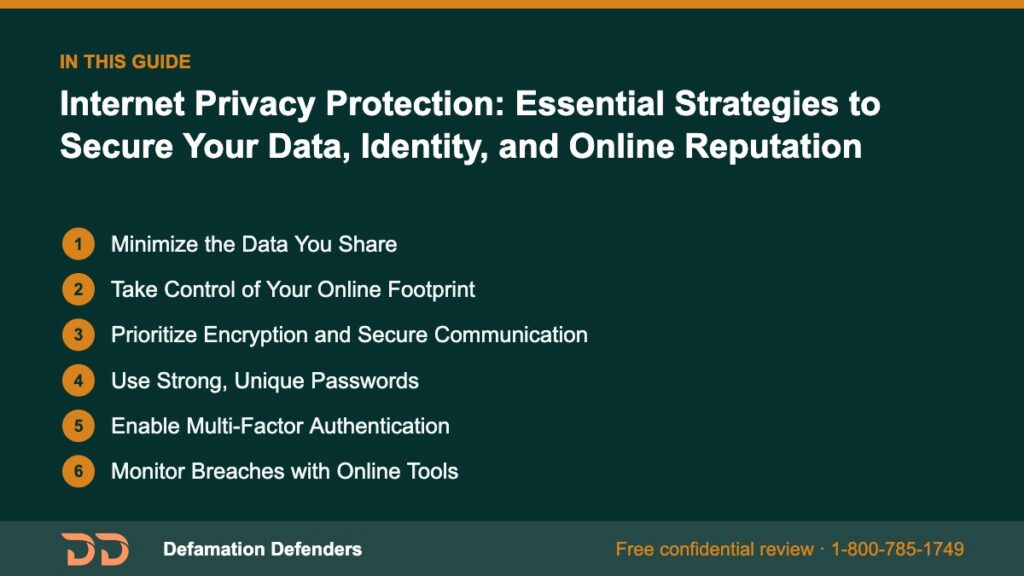
Table Of Content
Minimize the Data You Share
The most effective method of protection is reducing your exposure. Even seemingly harmless personal details can be exploited when combined with public records or breached information.
Tips:
- Avoid sharing personal information publicly on social media.
- Disable location-sharing features.
- Limit friend lists and post visibility.
- Don’t enter unnecessary profile details on apps or forums.
- Don’t reuse email addresses across dozens of platforms.
Want this content gone? Get a free, confidential quote.
Send us the links. Most removals are done in a few days to a few weeks, with a full refund if we can't complete the agreed removal.
Take Control of Your Online Footprint
Your online footprint includes everything published about you—by yourself or others, voluntarily or unintentionally.
Start with:
- Searching your full name on Google, Bing, Yahoo, and DuckDuckGo
- Reviewing your social media privacy settings
- Auditing public records associated with your identity
- Identifying entries on people-search websites
This baseline assessment determines the scope of your online exposure.
Prioritize Encryption and Secure Communication
Encryption adds a protective shield around your communications.
Recommended tools:
- Encrypted email platforms like ProtonMail
- End-to-end encrypted messaging such as Signal
- VPNs for private browsing
- Secure document storage (Boxcryptor, Tresorit)
Essential Strategies to Protect Your Identity Online
Identity protection involves multiple layers of defense designed to prevent unauthorized access to your accounts and data.
Use Strong, Unique Passwords
Over 80% of cyber breaches result from weak or reused passwords.
Modern password guidelines:
- Minimum 14 characters
- Combined symbols, numbers, upper and lower-case letters
- No repeats across accounts
- Password manager use (Bitwarden, 1Password, KeePass)
Example password structure (do not use this exact one):
BlueStar!Mountain_1973-ForestWalk
Enable Multi-Factor Authentication
Multi-Factor Authentication (MFA) is essential for account security. Even if a password is compromised, MFA prevents unauthorized entry.
Options include:
- Authentication apps (Authy, Google Authenticator)
- Hardware keys (YubiKey)
- Push notifications
Avoid SMS-based MFA when possible, as text messages can be intercepted.
Monitor Breaches with Online Tools
Data breach monitoring tools provide alerts when your email or personal data appears in exposed databases:
Immediate action is necessary after a breach, such as updating passwords and activating MFA.
Reduce Exposure on People-Search and Data Broker Sites
Data brokers harvest massive amounts of personal data and sell it to advertisers, background check companies, and the general public.
Common data broker platforms include:
- Spokeo
- Whitepages
- BeenVerified
- Intelius
- Radaris
- PeopleFinder
- MyLife
- InstantCheckmate
You can manually opt out using guidance from sources like the FTC:
https://consumer.ftc.gov/articles/how-protect-your-privacy-online
Defamation Defenders also offers professional data broker removal services for individuals requiring comprehensive protection.
Strengthening Your Online Reputation Through Privacy Protection
Privacy and reputation are interconnected. Even old or dismissed records may reappear online through archived news articles, outdated court dockets, or data brokers.
Control Your Search Results
Search engines determine what people see when they look up your name.
To manage your results:
- Remove outdated content using Google’s removal tools:
• https://search.google.com/search-console/remove-outdated-content
• https://support.google.com/websearch/answer/114967 - Request removal of unlawful or harmful content
- Suppress negative results through content creation
Build Strong, Verified Profiles
Search algorithms reward fresh, authoritative, and consistent content. Strengthen your personal brand with:
- A professional website or biography
- Updated LinkedIn, business profiles, and portfolio sites
- Frequently published expert content
- Verified social media accounts (where available)
These efforts push outdated or negative information further down in search results.
Manage Social Media Privacy Settings
Each platform includes advanced privacy controls most users overlook.
Review settings related to:
- Post visibility
- Tagging
- Mention permissions
- Story sharing
- Friend lists
- Profile searchability
Platforms to check:
- TikTok
- Twitter/X
- Snapchat

Limit Third-Party Access to Your Data
Apps and websites frequently request unnecessary permissions such as:
- Contacts
- Microphone
- Camera
- Location
- Storage
- Email access
Conduct a quarterly audit of app permissions across devices.
Advanced Internet Privacy Protection Measures
Highly sensitive individuals—public figures, executives, and individuals with prior legal challenges—require advanced privacy tools.
Use a Virtual Private Network (VPN)
A VPN provides:
- Hidden IP address
- Encrypted browsing
- Protection on public Wi-Fi
- Prevention of ISP-level tracking
Choose a provider with verified no-logs policies.
Secure Your Home Network
Your home network is a vulnerable entry point for cyber intrusions.
Key protections include:
- Updating router firmware
- Changing default router passwords
- Using WPA3 encryption
- Disabling Wi-Fi Protected Setup (WPS)
- Enabling firewall protection
- Creating separate networks for IoT devices
Prevent Phishing and Social Engineering Attacks
Phishing remains a top threat to privacy.
Warning signs:
- Unexpected verification emails
- Requests for login information
- Lookalike URLs
- Suspicious attachments
Use browser-based phishing filters and avoid clicking unknown links.
Privacy Protection for Businesses and Professionals
Companies and high-level executives are frequent targets of privacy breaches.
Protect Company Data
Organizations must secure:
- Customer information
- Employee data
- Intellectual property
- Vendor records
Best practices include:
- MFA requirements
- Role-based access
- Regular cybersecurity audits
- Employee training sessions
Protect Executive Privacy
Executives face amplified risks such as:
- Corporate doxxing
- High-stakes impersonation
- Targeted harassment
- Phishing attempts
- Account takeover attempts
Defamation Defenders offers tailored executive privacy and reputation protection programs for ongoing security.
Protect Customer Privacy
Organizations must comply with data privacy regulations like:
- GDPR
- CCPA
- HIPAA
- COPPA
Guidance is available at:
https://www.ftc.gov/data-privacy
How Defamation Defenders Supports Internet Privacy Protection
Defamation Defenders specializes in protecting and restoring privacy online.
Services include:
- Removal of personal data from search engines
- Mugshot and arrest record removal
- Data broker opt-out management
- Removal of defamatory content
- Social media takedown assistance
- Online reputation repair and suppression
- Long-term privacy monitoring
📞 Request personalized privacy support:
https://defamationdefenders.com/contact
Frequently Asked Questions (FAQ)
Removing personal data from data brokers is often the fastest, most impactful first step.
Yes. Google offers several tools for removing personal or harmful content.
Every three months or immediately after a major data breach.
No—VPNs are only one part of a comprehensive privacy strategy.
Yes. They specialize in removing or suppressing damaging information.
Often yes. External websites may continue displaying outdated data until removal requests are made.
Either manually opt out from each broker or use a professional service.
Privacy protects your data; reputation protection controls public perception.
MLA Citations
Federal Trade Commission. “How To Protect Your Privacy Online.” FTC.gov, https://consumer.ftc.gov/articles/how-protect-your-privacy-online.
U.S. Department of Homeland Security. “Cybersecurity Best Practices.” DHS.gov, www.dhs.gov/cisa/cyber-essentials.
Mozilla Foundation. “Data Breach Monitoring Tools.” Mozilla Monitor, https://monitor.firefox.com/.
Google. “Remove Personal Information from Google Search.” Google Support, https://support.google.com/websearch/answer/114967.
Related Contents:
Want this content gone? Get a free, confidential quote.
Send us the links. We'll reply with a firm quote and timeline. Most removals are done in a few days to a few weeks, with a full refund if we can't complete the agreed removal.
Pay-after-removal options · 4,000+ clients served · 4.9/5 on Google
Prefer to talk? Call 1-800-785-1749
