
Estimated reading time: 6 minutes
Online reviews play a massive role in how consumers choose who to trust. Unfortunately, not all reviews are legitimate. Whether it’s a spiteful ex-employee, a competitor trying to sabotage your Google presence, or a bot-generated attack, fake reviews on your Google Business Profile can mislead potential customers and hurt your revenue.
Need help with this? Our review removal and management service can handle it for you, starting with a free, confidential review and a firm quote before any work begins.
Thankfully, there is a process to challenge and report those fake reviews. Here’s a comprehensive step-by-step guide to help you identify, report, and remove reviews that violate Google’s policies.
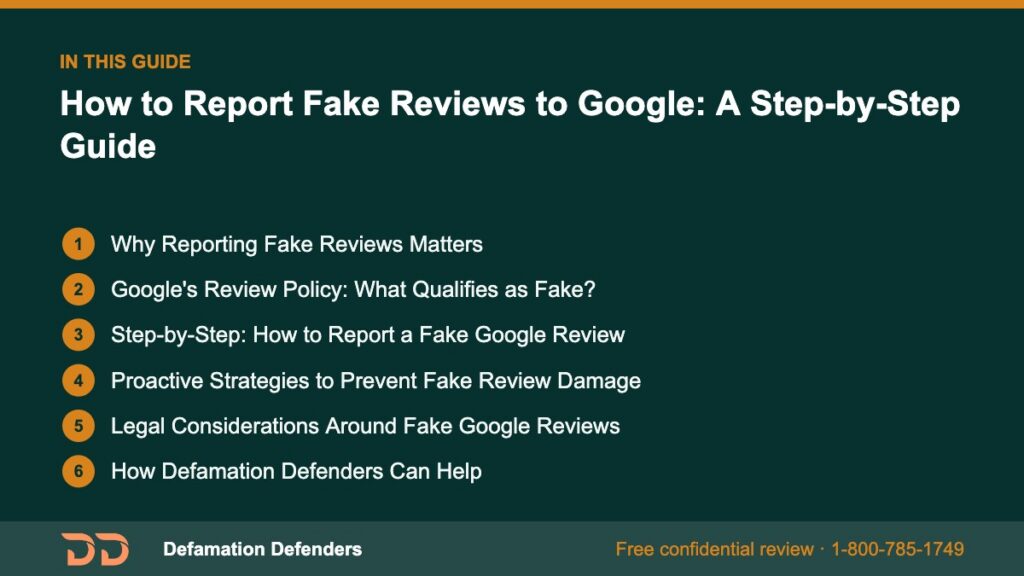
Table Of Content
Why Reporting Fake Reviews Matters
1. They Erode Trust
A single-star rating, especially if undeserved, can drastically lower your business’ average rating. Consumers are wary of businesses with ratings under 4.0.
2. They Influence Local SEO
Google prioritizes businesses with a strong review profile. A flood of fake reviews—positive or negative—can skew your search visibility.
3. They Create Long-Term Damage
Fake reviews not addressed can linger indefinitely, appearing in search snippets and Google Maps listings.
“The best time to report a fake review was yesterday. The second best time is now.”
4. They Misinform Potential Customers
Legitimate clients may abandon your brand based on fake, misrepresentative content, believing it to be true.
5. They Skew Data Analytics
False reviews compromise data on customer satisfaction trends, affecting internal improvements and long-term marketing strategies.
Want this content gone? Get a free, confidential quote.
Get unfair or fake reviews removed. Free assessment, no upfront fee on pay-after-removal cases, and most removals resolve within a few days to a few weeks.
Google’s Review Policy: What Qualifies as Fake?
According to Google’s review policy, the following content types are considered prohibited and eligible for removal:
- Spam and fake content: Reviews with irrelevant or repetitive content
- Off-topic reviews: Comments that don’t reflect a real experience
- Conflict of interest: Reviews from employees, owners, or competitors
- Illegal content: Reviews containing threats or defamation
- Profanity and explicit content
- Trolling and harassment
- Impersonation
Understanding these guidelines strengthens your case when reporting violations.
Categories of Common Violations
- Reviews submitted by users in countries that cannot access your services
- Reviews for wrong locations or different businesses
- Reviews posted after public news coverage that draw non-customers to your listing
- Suspicious reviews from accounts created within hours of posting
Step-by-Step: How to Report a Fake Google Review
Step 1: Identify the Suspect Review
Review these red flags:
- The reviewer has no history or activity
- Their profile photo is a stock image or logo
- Content is vague, accusatory, or unrelated to services
- The business has no record of the reviewer as a customer
- The language of the review appears automated or bot-generated
Step 2: Flag the Review on Google
- Search for your business on Google
- Scroll to the Reviews section
- Find the suspect review
- Click the three vertical dots next to the review
- Select “Report review”
- Choose the appropriate reason (e.g., “Off-topic”, “Conflict of interest”)
Google typically responds to review flags within 3 business days.
Step 3: Use Google Business Profile Dashboard
- Sign in at Google Business Profile
- Navigate to the Reviews tab
- Locate the review in question
- Click the three-dot icon and select Report review
This method ensures the report is tied directly to the verified owner of the profile.
Step 4: Submit a Legal Removal Request (If Necessary)
If the content is:
- Defamatory
- False and harmful to reputation
- Violating local privacy laws
Submit a legal removal request to escalate.
You can also include a written statement and supporting evidence (screenshots, communication logs, or customer database records) to help your case.
Step 5: Contact Google Support
If the review still hasn’t been removed after 72 hours, you can:
- Visit Google Business Support
- Choose “Reviews and photos”
- Click “Need more help?”
- Contact support via email, phone, or chat
Document all interactions. Persistence often leads to resolution.
Step 6: Monitor the Review and Follow Up
Track the status of the flagged review. Use:
- Your Google Business dashboard
- Confirmation emails from support
- Real-time monitoring tools to check removal status
If the review remains visible beyond 7 days and clearly violates Google’s content policies, consider submitting a follow-up support ticket with updated documentation.
Proactive Strategies to Prevent Fake Review Damage
Monitor Daily
Use tools like:
- Google Alerts
- ReviewTrackers
- Mention
- Hootsuite for reputation scanning
Collect Evidence
Screenshots, timestamps, and client logs all support your case. Maintain an incident log for future audits.
Respond Publicly and Professionally
Even if the review is fake:
- Thank them for the feedback
- Express confusion and invite them to contact support
- Show readers you’re taking concerns seriously
Ask for Positive Reviews
Flooding your profile with authentic, positive experiences is the best way to counteract a single damaging fake review.
Train Your Staff
Educate team members on how to:
- Identify suspicious review activity
- De-escalate customer conflicts
- Collect contact info from unhappy clients for offline resolution
Audit Your Online Presence Regularly
- Search for your business name + “reviews”
- Evaluate listings on third-party directories
- Compare review timelines with customer transaction history
Legal Considerations Around Fake Google Reviews
- Filing a defamation lawsuit is possible but requires legal consultation.
- Do not fake reviews in retaliation.
- Always retain proof of any interaction with fake reviewers.
- Using bots or outsourcing fake review removal can violate Google TOS.
- In certain jurisdictions, reputation damage from fake reviews can lead to compensatory damages.

How Defamation Defenders Can Help
At Defamation Defenders, we:
- Audit your Google Business review profile
- Identify and document patterns of fraudulent feedback
- File appeals and removals on your behalf
- Launch SEO suppression campaigns for unremovable reviews
- Monitor your listings in real time
- Assist in compiling legal evidence and affidavits when necessary
We provide custom solutions backed by real case studies and ethical compliance.
Get in touch today for a tailored quote or urgent takedown support.
Common Mistakes to Avoid
- Flagging the same review repeatedly without updates
- Responding emotionally to the reviewer
- Ignoring the fake review hoping it will disappear
- Using unverified tools or paying black-hat vendors
- Not documenting your evidence or support communication trail
Real-World Success Story
Business Type: Family-Owned Restaurant in Houston
Problem: Five fake 1-star reviews posted in 48 hours
Action:
- Reviews flagged within Google Dashboard
- Defamation Defenders submitted a legal removal based on content violation
- Launched reputation rebuild campaign with 24 new positive reviews
Outcome:
- Four out of five reviews removed in two weeks
- Business rating rose from 3.2 to 4.4
- Visibility improved on local search and Google Maps
- Foot traffic and reservations increased 18% in 30 days
FAQ: How to Report Fake Reviews to Google
No. Google will not remove reviews unless they violate content policies.
Typically, 48–72 hours. Complex cases may take longer.
Yes, always respond professionally to preserve trust with other potential customers.
Escalate through Google Business Support, provide documentation, or work with a reputation expert like Defamation Defenders.
Yes, if it’s defamatory and demonstrably false. Legal options exist but may vary by jurisdiction.
Yes. If suspicious activity can be tied together and presented, Google may consider them part of a broader violation.
Related Links:
Want this content gone? Get a free, confidential quote.
Get unfair or fake reviews removed. Free assessment, no upfront fee on pay-after-removal cases, and most removals resolve within a few days to a few weeks.
Pay-after-removal options · 4,000+ clients served · 4.9/5 on Google
Prefer to talk? Call 1-800-785-1749
