
Estimated reading time: 8 minutes
A Google Business Profile (GBP) can be an engine of growth—until it isn’t. Maybe you’re closing a location, consolidating offices, changing your service area, or dealing with a duplicate or unauthorized listing. Removing a profile the wrong way can confuse customers, tank map visibility, and cause lingering pins or “permanently closed” labels to haunt your brand for months.
Need help with this? Our Google review removal service can handle it for you, starting with a free, confidential review and a firm quote before any work begins.
This guide walks you through every scenario—from permanent closures and relocations to duplicate cleanup and brand shutdowns—so you can remove or retire a profile safely while maintaining trust. Along the way, you’ll see how clean data, clear communication, and consistent signals all answer the bigger question: why is reputation important in a business? Because accurate information, fast responses, and thoughtful off-boarding are remembered.
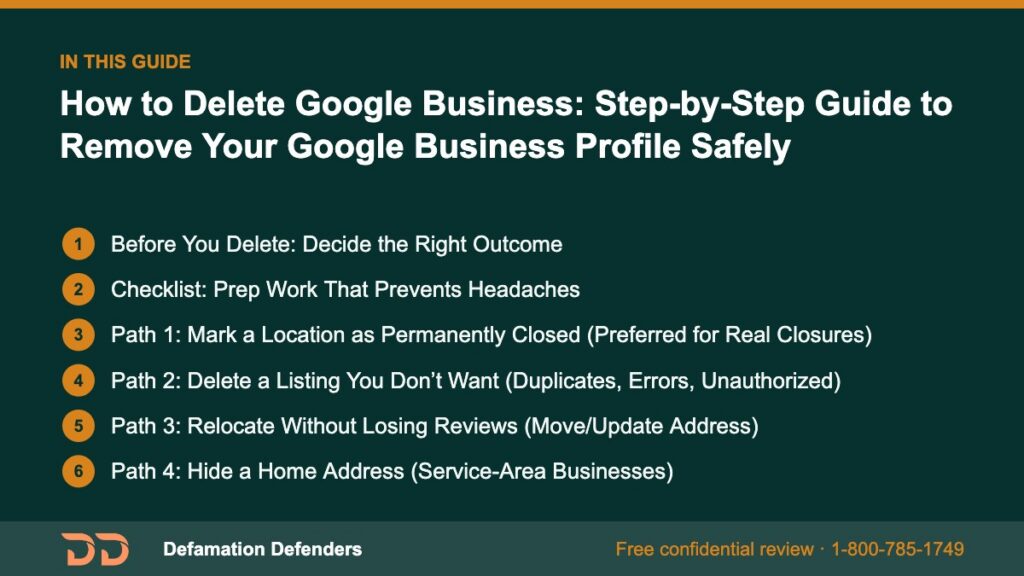
Table Of Content
Before You Delete: Decide the Right Outcome
Deleting isn’t always the best (or fastest) path. Start by matching your situation to the correct action:
Use “Mark as Permanently Closed” if…
- The location is closed and will not reopen in that spot.
- You want customers to see the closure in Maps to prevent wasted trips.
Use “Remove Business” (delete profile) if…
- The listing is a duplicate or was created in error.
- An unauthorized listing exists that you want gone completely.
Use “Move/Update Address” if…
- You’ve relocated and want to preserve reviews, photos, and history.
- You’re rebranding but continuity matters.
Use “Hide Address / Service Area” if…
- You’re a service-area business (SAB) working from home and don’t want your address visible.
Use “Transfer Ownership / Managers” if…
- The business is changing hands and the new owner will operate under the same identity.
Rule of thumb: If you expect to keep history, don’t delete—update or move. If the listing should never have existed, delete or merge.
Want this content gone? Get a free, confidential quote.
Send us the links. Most removals are done in a few days to a few weeks, with a full refund if we can't complete the agreed removal.
Checklist: Prep Work That Prevents Headaches
- Take screenshots of the profile (Info tab, reviews, Q&A, Photos).
- Export customer messages/leads if you used GBP messaging.
- Note the CID (customer ID) or save the profile URL for reference.
- Confirm you’re signed in with the primary owner account.
- If relocating, create a short announcement to publish before changes.
- Audit other listings/directories (Apple Maps, Bing Places, Yelp, local chambers) so you can update them same week for consistency.
yamlCopyEdit# Deletion/Closure Prep (SOP)
owner_account: "primary@example.com"
profile_url: "https://maps.google.com/..."
cid: "XXXXXXXXXXXX"
exports:
  - reviews: "screenshots/"
  - messages: "csv/exports/"
  - photos: "local_archive/"
communications:
  - customer_email_ready: true
  - website_banner_ready: true
  - social_post_ready: true
directory_sync:
  - apple_maps: pending
  - bing_places: pending
  - data_brokers: queued
Path 1: Mark a Location as Permanently Closed (Preferred for Real Closures)
Why: Signals to customers that the site is closed, avoids dead-end navigation, and deters new reviews on a dead listing.
Steps:
- Open Google Business Profile with the owner account.
- In Search, type your business name and click Edit profile.
- Go to Business information → Location.
- Toggle “Mark as permanently closed.”
- Publish an Update explaining the closure and where customers can still get help (web, email, new location).
- Add a website banner and update your Contact page with accurate info.
- Schedule posts on social channels to reinforce the message for 2–4 weeks.
What happens next: The listing will show “Permanently closed” and gradually lose visibility for discovery searches, but it remains a useful wayfinding note for loyal customers.
Path 2: Delete a Listing You Don’t Want (Duplicates, Errors, Unauthorized)
Warning: Deleting removes owner access and can be permanent. For true duplicates, a merge is often better so reviews consolidate rather than disappear.
Steps (owner of the profile):
- Open the profile → Edit profile → Business information.
- Choose Remove listing (or similar option).
- Confirm removal and complete any email/SMS verification.
- Suggest an edit on Maps for duplicates: “Remove this place” → “Duplicate of another place.”
- Recheck in 2–7 days; if a duplicate persists, submit support with screenshots.
If you’re not the owner:
- Click the listing on Maps → Suggest an edit → “Not open to the public” or “Duplicate” with the correct primary listing URL.
- Submit a support request with proof (utility bill, signage, lease, business registration).
Tip: If the wrong listing outranks the correct one, merge rather than delete. Preserving reviews under a single, accurate entity protects trust.
Path 3: Relocate Without Losing Reviews (Move/Update Address)
When you move, your reviews and photos are reputation equity. Keep them.
Steps:
- Open Edit profile → Business information → Location.
- Click “Edit” next to the address and enter the new location.
- Reposition the pin precisely on the map.
- Add a post: “We’ve moved!” with directions, parking info, and updated hours.
- Update the website, schema, and citations the same day (see below).
- If the old location remains as a separate listing, mark it Permanently closed but do not delete your primary profile.
Structured data update (LocalBusiness):
jsonCopyEdit{
  "@context": "https://schema.org",
  "@type": "LocalBusiness",
  "name": "Riverstone Dental",
  "url": "https://www.riverstonedental.com",
  "telephone": "+1-555-010-7788",
  "address": {
    "@type": "PostalAddress",
    "streetAddress": "1200 New Cedar Ave, Suite 200",
    "addressLocality": "Austin",
    "addressRegion": "TX",
    "postalCode": "78701"
  },
  "geo": { "@type": "GeoCoordinates", "latitude": 30.2672, "longitude": -97.7431 },
  "openingHours": "Mo-Fr 08:00-17:00"
}
Path 4: Hide a Home Address (Service-Area Businesses)
If you serve customers at their location, you can hide your address while keeping a profile.
Steps:
- Edit profile → Business information → Location.
- Remove the street address; set Service areas by city/ZIP.
- Ensure your website does not publish your home address.
- Update your Contact page with service areas and a contact form.
Path 5: Transfer Ownership (When the Business Is Sold)
Preserve history but shift control to the new owner.
Steps:
- In the owner account, open Business Profile settings → Managers.
- Invite the new owner’s email as Primary owner (after they accept, transfer your role).
- Remove old managers who no longer need access.
- Update categories, hours, services, and branding carefully—major changes can trigger re-verification.
Risk: Aggressive rebranding (name + category + address changes at once) can prompt suspension. Stage updates where possible.
What Deletion Means for Reviews, Q&A, and Photos
- Reviews: Deleting a profile may remove access to reviews. Merging duplicates can consolidate them instead.
- Q&A: These may vanish on deletion but remain when you close or move a listing.
- Photos/Videos: Owner-uploaded media is tied to the profile; customers’ photos may persist elsewhere online.
Reputation note: Reviews are social proof—evidence that answers the question why is reputation important in a business. When possible, preserve them via move/merge rather than delete.
Avoid These Common Pitfalls
- Deleting a “main” listing during relocation. Move it; don’t nuke your history.
- Leaving duplicates alive. Confuses Maps, dilutes clicks, and splits reviews.
- Inconsistent NAP across directories. If your website, Apple Maps, and GBP disagree, trust erodes.
- Silent closures. Without posts, email notices, and web updates, customers feel abandoned.
- Unauthorized edits from the public. Monitor and revert incorrect changes promptly.

Communicate Like a Pro (Templates Included)
Website banner:
htmlCopyEdit<div class="notice">
  <strong>We’ve moved!</strong> Our new address is 1200 New Cedar Ave, Suite 200.
  Get directions <a href="https://goo.gl/maps/...">on Google Maps</a>.
</div>
Customer email:
textCopyEditSubject: An update from Riverstone Dental

We’ve moved! Starting [DATE], our new location is:
1200 New Cedar Ave, Suite 200, Austin, TX 78701

Your appointments, insurance, and team stay the same.
Directions: [Maps link] | Parking info: [Page link]
Questions? Reply to this email or call (555) 010-7788.
GBP post copy:
textCopyEditWe’ve moved! Same team, same hours—new address with better parking.
Tap for directions and updated contact info.
Sync the Rest of the Web the Same Week
Your Google changes will land better if everything else matches:
- Website: Header/footer address, Contact page, embedded map, schema.
- Domain email signatures: Update address/phone.
- Apple Maps / Bing Places / Waze: Claim and update.
- Data providers: Neustar/Localeze, Foursquare, and relevant local directories.
- Social profiles: Facebook Page, Instagram bio, LinkedIn Page.
- Local institutions: Chamber of Commerce, industry associations, landlord/building directory.
Consistency builds confidence. Inconsistency creates doubt—and doubt costs clicks.
Reputation First: Why the “How” Matters More Than the “What”
Deleting a listing is a technical step; reputation is the strategic outcome. Here’s how smart execution answers “why is reputation important in a business”:
- Clarity prevents frustration. Closed-loop communication avoids wasted trips and angry reviews.
- Accuracy earns trust. Aligned listings across the web demonstrate operational maturity.
- Continuity keeps social proof. Preserving and consolidating reviews stabilizes conversion rates.
- Speed reduces rumor. Swift posts, banners, and replies stop confusion from spreading.
“Trust is the absence of surprise.” Remove surprises during a closure or move, and customers will remember your professionalism.
Advanced Scenarios (With Solutions)
A. Suspended profile during updates
- Pause changes; submit reinstatement with proof (utility bill, signage, lease).
- Stage updates more slowly next time (name → category → address).
B. Franchise closure with brand continuity nearby
- Mark the closed site Permanently closed; add a post linking to the nearest open location’s profile.
- Request “Place is permanently closed” edits on third-party maps.
C. Multi-practitioner offices (law, healthcare, real estate)
- Decide if you’ll maintain practitioner listings or a single umbrella listing.
- On practitioner departures, update names or mark profiles closed without deleting the main entity.
D. SAB showing a home address
- Hide the address, set service areas, scrub the address from your site, and re-verify if asked.
E. Duplicate with more reviews than your main listing
- Request a merge so the stronger social proof flows to the canonical profile.
Post-Removal: Track and Tune
- Re-crawl expectations: Allow 3–14 days for map data to propagate and caches to clear.
- Monitor edits: Turn on notifications for suggested edits and Questions.
- Check discovery queries: Make sure you still appear for brand and category searches where appropriate.
- Review cadence: Keep requesting feedback at natural points (no incentives that violate policies).
- Measure: Click-to-call, direction requests, website taps, and message volume.
Why Partner With Defamation Defenders
Complex profile changes are often part of bigger reputation transitions—mergers, closures, ownership changes, or crisis recovery. Defamation Defenders supports you with:
- Full audit & cleanup: Duplicates, unauthorized profiles, and stale data across major maps and directories.
- Content removal & suppression: Where policies or laws allow—especially important if harmful pages spike during a move.
- Data-broker opt-outs: Reduce doxxing and personal exposure for owners and executives.
- Search result strengthening: Elevate accurate, positive sources so customers see the right story.
- Monitoring & alerts: Guard against re-appearance and impersonation.
Need help now? Start with a confidential review: Contact Defamation Defenders.
FAQ: Deleting or Closing a Google Business Profile
No. Removals and merges can take days to propagate. Caches may show the old state temporarily.
Yes—update the address on your existing profile. Don’t create a new one, and don’t delete the original.
Request a merge so reviews and authority consolidate under the correct profile.
No. You cannot disable reviews on an active listing. You can respond, report policy violations, and improve service to earn better feedback.
You can claim it, then delete or correct it. Provide proof of control (signage, business license, lease).
Because credibility protects future revenue. Clear, accurate updates reduce angry reviews, preserve repeat customers, and maintain partner confidence.
Related Contents:
Want this content gone? Get a free, confidential quote.
Send us the links. We'll reply with a firm quote and timeline. Most removals are done in a few days to a few weeks, with a full refund if we can't complete the agreed removal.
Pay-after-removal options · 4,000+ clients served · 4.9/5 on Google
Prefer to talk? Call 1-800-785-1749
