
Estimated reading time: 7 minutes
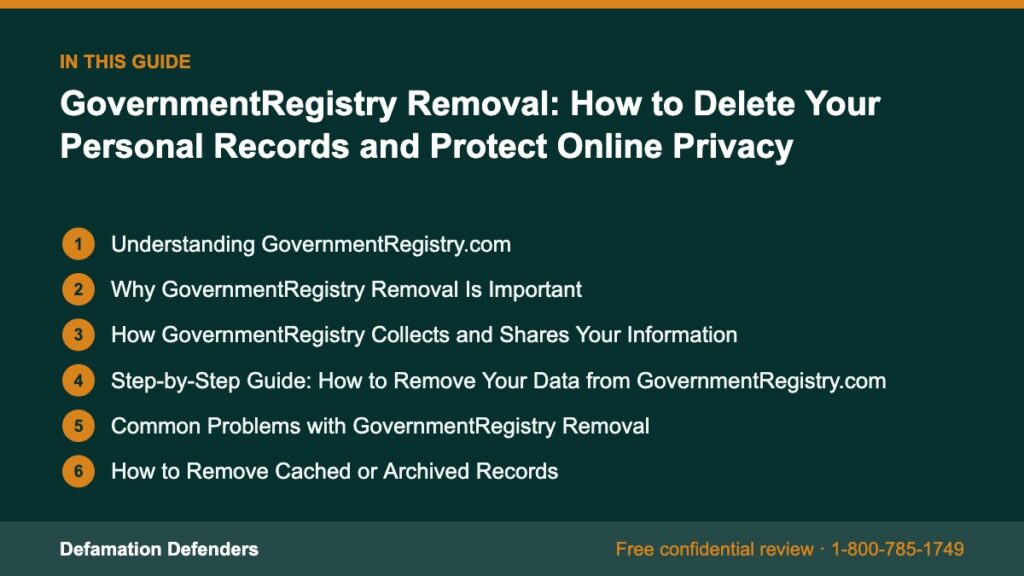
Table Of Content
Understanding GovernmentRegistry.com
GovernmentRegistry.com is a public records and background search website that provides access to a wide range of data, including:
Need help with this? Our personal information removal service can handle it for you, starting with a free, confidential review and a firm quote before any work begins.
- Criminal records and arrest details
- Court filings and warrants
- Property ownership information
- Marriage and divorce records
- Contact information such as phone numbers and addresses
While GovernmentRegistry claims to help users “find public information easily,” the reality is that the exposure of personal records can pose serious privacy risks. Once your information appears online, it can be accessed, shared, or even sold to third parties—without your knowledge or consent.
Why GovernmentRegistry Removal Is Important
Having your personal information publicly listed on GovernmentRegistry can have far-reaching consequences for your personal safety, career, and reputation.
The Risks of Public Data Exposure
- Identity Theft: Personal identifiers can be combined with other online data to commit fraud.
- Harassment or Stalking: Exposed addresses or contact details make individuals vulnerable to unwanted contact.
- Employment Issues: Employers, clients, or landlords might misinterpret public data or outdated records.
- Data Resale: Third-party data brokers often scrape sites like GovernmentRegistry and redistribute your information.
- Reputation Damage: Even dismissed or sealed cases can appear in search results, shaping how others perceive you.
“Information once made public online is rarely forgotten. That’s why timely removal is key to maintaining personal security.” — Defamation Defenders Privacy Experts
How GovernmentRegistry Collects and Shares Your Information
GovernmentRegistry aggregates data from multiple public and commercial sources, including:
- County and state court databases
- Law enforcement records
- Property registries
- Voter registration databases
- Public archives and subscription-based data brokers
Although these records are technically public, publishing them online removes practical obscurity—making it easy for anyone to access your private details with a few clicks.
Step-by-Step Guide: How to Remove Your Data from GovernmentRegistry.com
Removing your information from GovernmentRegistry requires a structured opt-out approach. Follow these steps carefully to ensure that your data is deleted and not republished later.
Step 1: Search for Your Listing
- Visit https://www.governmentregistry.org/.
- Enter your full name and state of residence in the search bar.
- Browse the results to locate your specific record or profile.
- Copy the full URL of your listing for reference during the removal process.
Step 2: Locate the Opt-Out Page
Scroll to the footer of GovernmentRegistry’s homepage and look for links such as:
- “Privacy Policy”
- “Do Not Sell My Information”
- “Contact Us”
These sections usually contain instructions for submitting an opt-out request or a data deletion request in compliance with privacy laws like the California Consumer Privacy Act (CCPA).
Step 3: Submit a Formal Removal Request
If an opt-out form is available, complete it with the following details:
- Your full name (as it appears in the listing)
- The URL of the record you wish to remove
- A valid email address for confirmation
- A brief message requesting permanent data removal
If no form is provided, you can email the site’s privacy contact using the template below.
Subject: Request for Data Removal – GovernmentRegistry.com

To Whom It May Concern,

I am requesting the permanent removal of my personal information from GovernmentRegistry.com in accordance with applicable privacy laws (such as the CCPA and GDPR).

Here is the URL of my record: [Insert URL]

Please confirm once my information has been deleted and will not be republished or shared with third parties.

Sincerely,
[Your Full Name]
[Your Email Address]
[Your City, State]
Save copies of all correspondence for your records.
Step 4: Verify Removal and Monitor Search Engines
After submitting your request, wait 7–14 business days for confirmation. Check Google or Bing periodically to ensure the listing has disappeared.
If cached versions still appear in search results, visit the Google Remove Outdated Content Tool to request deletion from search indexing.
Step 5: Repeat for Variations of Your Name
GovernmentRegistry may have duplicate records under different name formats or old addresses. Repeat the opt-out process for any variations to ensure comprehensive removal.
Common Problems with GovernmentRegistry Removal
Even when following the correct process, many users encounter difficulties during removal.
Frequent Issues Include:
- Slow Response Times: Requests may take weeks to process.
- Reappearing Listings: Data may resurface through partner sites.
- Incomplete Removal: Some personal information may remain partially visible.
- Affiliate Data Sharing: Information may already have been syndicated to other databases.
In these cases, professional help from Defamation Defenders ensures complete, permanent removal and ongoing monitoring.
How to Remove Cached or Archived Records
After a listing is deleted, archived pages might still appear on Google, Bing, or web archives like the Wayback Machine.
To Remove Cached Content:
- Visit the Google Content Removal Tool.
- Paste the URL of the deleted GovernmentRegistry page.
- Select “This content is outdated.”
- Submit and wait for Google’s verification process.
Cached removals typically take 24–72 hours to process.
Privacy Laws That Protect Your Data
GovernmentRegistry must comply with data privacy regulations that allow individuals to opt out or request deletion of their personal information.
Major Privacy Laws Include:
- California Consumer Privacy Act (CCPA) – Allows users to request deletion and prohibit data sales.
- General Data Protection Regulation (GDPR) – Gives EU residents the right to control their personal data.
- Virginia Consumer Data Protection Act (VCDPA) – Provides similar rights for Virginia residents.
You can read more about these regulations on the Federal Trade Commission’s Privacy Protection page.
“Transparency without privacy protection is a loophole waiting to be exploited.” — FTC Consumer Privacy Report

How Defamation Defenders Helps with GovernmentRegistry Removal
Defamation Defenders provides expert data removal, suppression, and privacy protection services to individuals affected by exposure on sites like GovernmentRegistry.
Our Proven Process:
- Search Audit: Identify every appearance of your name or data across GovernmentRegistry and related websites.
- Formal Opt-Out Submission: File and track removal requests with proper documentation.
- Search Engine Suppression: Eliminate cached results from Google and Bing.
- Data Broker Blocklist: Prevent reappearance on over 100+ partner data networks.
- Privacy Monitoring: Continuously scan for new listings and exposures.
“Defamation Defenders safeguards personal privacy by taking control of data exposure at its source, ensuring permanent protection.”
📞 Contact Defamation Defenders today for a customized privacy audit and GovernmentRegistry removal assistance.
The Broader Impact of Public Data Exposure
Beyond individual inconvenience, public record exposure has societal implications. The normalization of unrestricted access to personal data contributes to:
- Identity fraud
- Data trafficking by third-party brokers
- Targeted harassment campaigns
- Loss of personal autonomy
By removing your data and raising awareness, you contribute to a broader movement advocating for responsible data governance and privacy rights.
Case Study: Successful GovernmentRegistry Removal
A Texas real estate agent found her home address and contact information listed on GovernmentRegistry, creating safety concerns after a client dispute.
Defamation Defenders’ Solution:
- Conducted a full privacy audit to identify all related listings.
- Submitted verified removal requests with GovernmentRegistry’s compliance team.
- Filed cache deletion requests with Google Search Console.
- Set up proactive monitoring for re-listings.
Outcome: Within 21 days, all traces of her personal information were deleted, and her online footprint was fully secured.
Prevent Future Data Exposure
After removal, proactive privacy management is essential to prevent reappearance.
Steps to Keep Your Information Private:
- Opt out from other data brokers: Use reputable sources to remove listings from sites like Whitepages, BeenVerified, and Spokeo.
- Use P.O. boxes: Replace your residential address with a business or P.O. address.
- Avoid public registrations: When possible, keep personal records out of online public filings.
- Monitor search engines: Set up Google Alerts for your name and address.
“Privacy is a continuous process, not a one-time event. Regular monitoring ensures lasting peace of mind.”
Frequently Asked Questions (FAQ)
Yes. It aggregates publicly available data, but the exposure of that data can compromise your privacy.
Your data likely originates from public records or data brokers.
Typically, 1–2 weeks after submission, depending on the site’s response time.
Yes. Other data brokers may reintroduce your records, which is why continuous monitoring is important.
Under laws like CCPA and GDPR, you have the right to request deletion.
Yes, our comprehensive suppression system ensures that deleted records stay removed.
Contact the site via email and request removal citing privacy rights.
No, official background checks access verified data directly from government agencies.
Your personal information deserves to remain private and secure. GovernmentRegistry Removal is not just about deleting data—it’s about reclaiming your identity, protecting your family, and restoring peace of mind.
Defamation Defenders offers professional privacy protection, data removal, and reputation management services designed to ensure permanent results.
👉 Start your GovernmentRegistry removal today and take back control of your online footprint.
Works Cited
- Federal Trade Commission. Protecting Personal Information. www.ftc.gov.
- California Consumer Privacy Act (CCPA). State of California. oag.ca.gov/privacy/ccpa.
- Electronic Frontier Foundation. Data Brokers and Privacy Risks. www.eff.org.
- Solove, Daniel J. Understanding Privacy. Harvard University Press, 2008.
- Privacy Rights Clearinghouse. How to Remove Your Information from Public Data Sites. www.privacyrights.org.
Related Contents:
