
Estimated reading time: 9 minutes
A harmful Facebook page can severely damage your reputation, safety, or business credibility. Whether someone is impersonating you, publishing defamatory content, running scams, or organizing targeted harassment, you have options. This in-depth guide provides the complete process for getting a Facebook page taken down—with step-by-step reporting instructions, legal escalation methods, documentation strategies, and ongoing protection tactics.
Need help with this? Our social media removal service can handle it for you, starting with a free, confidential review and a firm quote before any work begins.
This resource is designed for individuals, brands, professionals, and organizations seeking reliable methods to remove Facebook pages that violate platform rules or threaten personal and public safety.
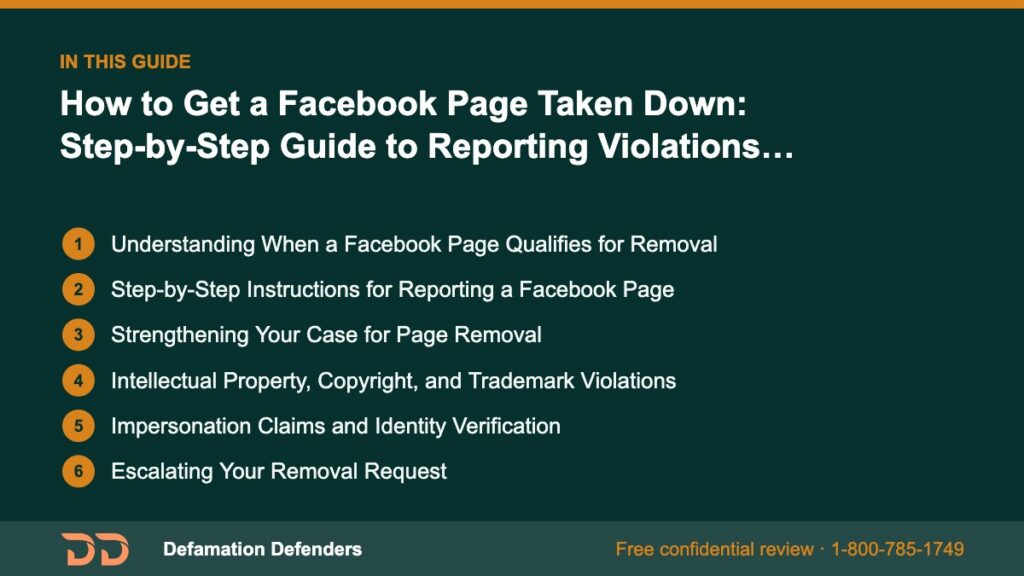
Table Of Content
Understanding When a Facebook Page Qualifies for Removal
Before submitting a removal request, you must determine whether the page violates Facebook’s Community Standards. Facebook removes pages that pose risks to individuals, groups, or public safety.
Violations That Commonly Result in Page Removal
- Impersonation or identity theft — Pages pretending to be a real person or business.
- Harassment, bullying, or coordinated attacks — Pages targeting individuals or communities.
- Hate speech or discrimination — Violating protected characteristics or spreading harmful rhetoric.
- Misinformation or deception — Especially related to elections, health, or public crises.
- Copyright or trademark infringement — Misusing brand assets, photos, or proprietary content.
- Fraudulent activity, scams, or fake services.
- Revenge or smear campaign pages — Designed solely to harm someone’s reputation.
Full details appear in the Facebook Community Standards.
Want this content gone? Get a free, confidential quote.
Send us the links. Most removals are done in a few days to a few weeks, with a full refund if we can't complete the agreed removal.
Step-by-Step Instructions for Reporting a Facebook Page
Step 1: Visit the Page
Locate the Facebook page you want to report. Confirm the page name, bio, and posts match the harmful content you’ve identified.
Step 2: Click the Three-Dot Menu
Under the page’s cover photo, click the three dots (···) to open action options.
Step 3: Choose “Find Support or Report Page”
Select the option prompting you to report the page for policy violations.
Step 4: Choose the Correct Violation Category
You will see options such as:
- Harassment or bullying
- Fake page
- Hate speech
- Fraud or scam
- Intellectual property violation
- Violence or dangerous content
Selecting the correct category helps Facebook classify and escalate your report.
Step 5: Provide Evidence (If Requested)
Facebook may ask follow-up questions or request additional information. Always:
- Include screenshots
- Provide URLs of offending posts
- Offer details on harm caused
Step 6: Submit Your Report and Document It
Take note of:
- Date and time submitted
- Screenshot of the confirmation message
- Description provided
Step 7: Check Your Support Inbox
Review updates in your Facebook Support Inbox to see whether Facebook has taken action.
Strengthening Your Case for Page Removal
Facebook receives millions of reports daily. Strengthening your case increases the likelihood of successful removal.
Gather Clear Evidence
Use the following checklist:
- Screenshots of harmful posts or images
- URLs linking directly to the offending content
- Copies of messages exchanged with page administrators
- Statements from affected individuals or customers
Provide Context in Your Report
Explain:
- The impact on your reputation or business
- Safety threats
- Violations of specific Facebook policies
Encourage Others to Report the Same Page
Multiple reports signal urgency and legitimacy.
Intellectual Property, Copyright, and Trademark Violations
Pages that misuse your content may be eligible for removal under intellectual property laws.
Submit a Copyright Removal Request
Use Facebook’s official IP infringement form:
https://www.facebook.com/help/contact/634636770043106
Provide:
- Copyright registrations
- URLs showing unauthorized use
- Copies of original works
Submit a Trademark Violation Report
If a page is using your business name, logo, or likeness:
https://www.facebook.com/help/contact/1758255661104383
You may be required to submit proof of trademark registration.
Impersonation Claims and Identity Verification
Impersonation is one of the strongest grounds for immediate takedown.
Prepare:
- Government-issued photo ID (for personal impersonation)
- Business documents (for company impersonation)
- Screenshots proving the impersonation intent
File impersonation reports at:
https://www.facebook.com/help/contact/295309487309948
Escalating Your Removal Request
Appeal a Rejected Report
If Facebook denies your request:
- Re-submit with additional details
- Highlight new policy violations
- Provide more evidence of harm or impersonation
Use Meta Business Support (For Page Owners and Businesses)
Business accounts can receive more direct assistance through Meta Business Suite.
Submit a Case to the Meta Oversight Board
For complex or impactful cases:
https://www.oversightboard.com/
This board has the authority to overturn Facebook’s decisions.
Legal Remedies for Facebook Page Removal
Some cases require legal support—especially when:
- Defamation harms your career
- Threats or stalking occur
- A fake page keeps reappearing
- Identity theft is involved
Send a Cease-and-Desist Letter
An attorney can formally demand removal.
Submit a Legal Request to Facebook
Legal removal options are available here:
https://www.facebook.com/help/contact/144059062408922
File Police or FBI Reports
Use:
- IC3.gov for cybercrime
- ReportFraud.ftc.gov for fraud cases
These reports strengthen your case.
What to Do If Facebook Still Doesn’t Remove the Page
Even strong reports sometimes receive no action due to moderation errors.
Try Alternative Approaches:
- Report individual posts instead of the entire page
- Report images or videos separately
- Have multiple users submit coordinated, accurate reports
- Flag the page as a business impersonation violation
Use Reputation Suppression Techniques
If immediate removal isn’t possible:
- Publish SEO-optimized positive content
- Create press releases for brand authority
- Promote verified social media profiles
These steps help bury harmful pages in search results.
Long-Term Protection Strategies
Prevent future impersonation or harassment by:
- Registering your trademark
- Monitoring new Facebook pages using your name
- Using Google Alerts
- Claiming all major social media handles
- Maintaining a strong online presence
How Defamation Defenders Helps Remove Harmful Facebook Pages
Defamation Defenders assists individuals and businesses by:
- Submitting professional-level page removal requests
- Drafting legally compliant notices
- Monitoring online content for new threats
- Suppressing negative results in search engines
- Offering emergency takedown support for high-risk cases
📞 Need fast Facebook page removal? Contact us:
https://defamationdefenders.com/contact/

Frequently Asked Questions (FAQ)
Typically 48–72 hours, but complex cases may take longer.
Yes. Facebook keeps reporter identities confidential.
Document the recurrence. Legal and platform-level escalations may be required.
No, but strong evidence and policy violations increase success rates.
Yes—reporting, legal escalation, monitoring, and suppression.
Advanced Strategies for Complex or High-Profile Takedown Cases
Some situations require more sophisticated tactics—especially when the harmful Facebook page has a large following, updates rapidly, or is run anonymously. Below are deeper, advanced strategies for cases where standard reporting is insufficient.
1. Coordinated Multi-Channel Reporting
Instead of only reporting the page on Facebook, submit related reports through:
- Instagram (if connected)
- Messenger abuse reporting
- Meta Business tools
This multi-channel approach flags the content across Meta products and increases the likelihood of escalation.
2. Reputation Forensics and Evidence Preservation
In complex defamation or impersonation cases, you may need:
- Timestamped screen captures
- URL version histories using tools like Wayback Machine
- IP address subpoenas (with attorney oversight)
- Archival PDFs of evidence
These can be critical for legal proceedings or high-threat harassment scenarios.
3. Victim Impact Statements
Facebook’s moderation team often responds more effectively when you describe specific harm, such as:
- Lost business revenue
- Emotional or mental distress
- Safety threats including stalking
- Damage to employment or career opportunities
These statements help elevate your case beyond a standard policy complaint.
4. Corporate-Level Escalation via Meta Business Partners
Organizations working with verified Meta Business Partners can obtain:
- Direct support
- Faster review times
- Higher-level escalation officers
This is especially helpful for brands or public figures under attack.
5. Coordinated Reporting by Multiple Affected Parties
If a Facebook page is harming a group of people (employees, customers, families), encourage each person to:
- Submit individual reports
- Provide their own evidence
- Explain the personal harm caused
Facebook prioritizes cases with substantial user-reported impact.
Understanding How Facebook’s Moderation System Works
To maximize your chances of page takedown, it helps to understand how Meta evaluates reports.
Automated Detection Systems
Facebook uses algorithms that scan for:
- Known hate speech patterns
- Graphic violence
- Fake engagement patterns
- Spam-like posting behaviors
These systems often make the first decision, which is why providing additional manual evidence matters.
Human Moderator Review
Cases involving defamation, impersonation, or nuanced harassment require human review. Facebook’s trust & safety team examines:
- Context
- Local laws
- User history
- Past policy violations tied to the page
Legal and Policy Review Team
This team handles:
- Defamation claims supported by legal documentation
- Court orders
- DMCA requests
- Trademark claims
Understanding these layers helps you craft stronger, multi-level reports.
Escalation Pathways Outside Facebook
If Facebook’s internal system fails to remove the harmful page, several external avenues may apply.
Web Hosting Provider Reports
If the Facebook page links to an external website hosting defamatory or harmful content, report the site to:
- The hosting provider
- The DNS provider
Many hosts prohibit harassment and impersonation.
State and Federal Authorities
Report if the page engages in:
- Extortion
- Fraud schemes
- Stalking or threats
- Identity theft
Authorities include:
- Local police
- FBI’s IC3 division
- State cybercrime units
Consumer Protection Agencies
For scams or fraudulent businesses:
- Better Business Bureau
- State Attorney General
- FTC’s fraud reporting system
Civil Lawsuits
In extreme cases, you may pursue:
- Defamation lawsuits
- Injunctions to force removal
- Damages for financial harm
Legal action can compel Facebook to remove content or provide identifying information about anonymous page creators.
In-Depth: Protecting Yourself Before and After Page Removal
Removing the harmful page is only part of the solution. Protecting your long-term reputation is equally important.
Strengthen Your Online Presence
Proactively build:
- Verified social profiles
- A personal or business website
- Positive press and blog content
This reduces the impact of future impersonation attempts.
Prevent Future Fake Pages
Steps include:
- Registering trademarks for your business or name
- Utilizing Meta verification tools
- Monitoring new pages weekly
Use Monitoring Tools
Recommended systems:
- Google Alerts
- Mention.com
- Brand monitoring platforms
These tools notify you immediately if:
- Someone uses your name
- A page copies your branding
- New negative content appears
Engage in Proactive Social Safety Planning
For individuals experiencing severe harassment:
- Lock down personal profiles
- Remove public access to sensitive data
- Utilize friends-only posting settings
- Report threatening private messages immediately
Why Defamation Defenders Is the Leading Choice for Facebook Page Removal Support
Removing a Facebook page is often complex, time-consuming, and emotionally draining. Defamation Defenders provides:
- Professional report drafting aligned with Meta’s policy language
- Legal support through cease-and-desist letters and formal takedown filings
- Reputation monitoring to detect recurring impersonation pages
- Search result suppression when harmful pages appear in Google rankings
- Emergency crisis management for high-risk harassment situations
Our specialists understand Facebook’s internal processes, escalation channels, and legal requirements. We help clients achieve the fastest and most effective removal possible.
👉 Get expert support now: https://defamationdefenders.com/contact/
MLA Citations
This section remains unchanged
Meta. “Community Standards.” https://transparency.fb.com/policies/community-standards/
Facebook. “Report a Page.” https://www.facebook.com/help/
Federal Trade Commission. “Report Fraud.” https://reportfraud.ftc.gov/
FBI. “Internet Crime Complaint Center (IC3).” https://www.ic3.gov/
Related Contents:
Want this content gone? Get a free, confidential quote.
Send us the links. We'll reply with a firm quote and timeline. Most removals are done in a few days to a few weeks, with a full refund if we can't complete the agreed removal.
Pay-after-removal options · 4,000+ clients served · 4.9/5 on Google
Prefer to talk? Call 1-800-785-1749
